Set Up a VPN Connection on iPhone or iPad
Setting up a VPN connection on iPhone or iPad takes just a few steps.
1. Get your VPN credentials
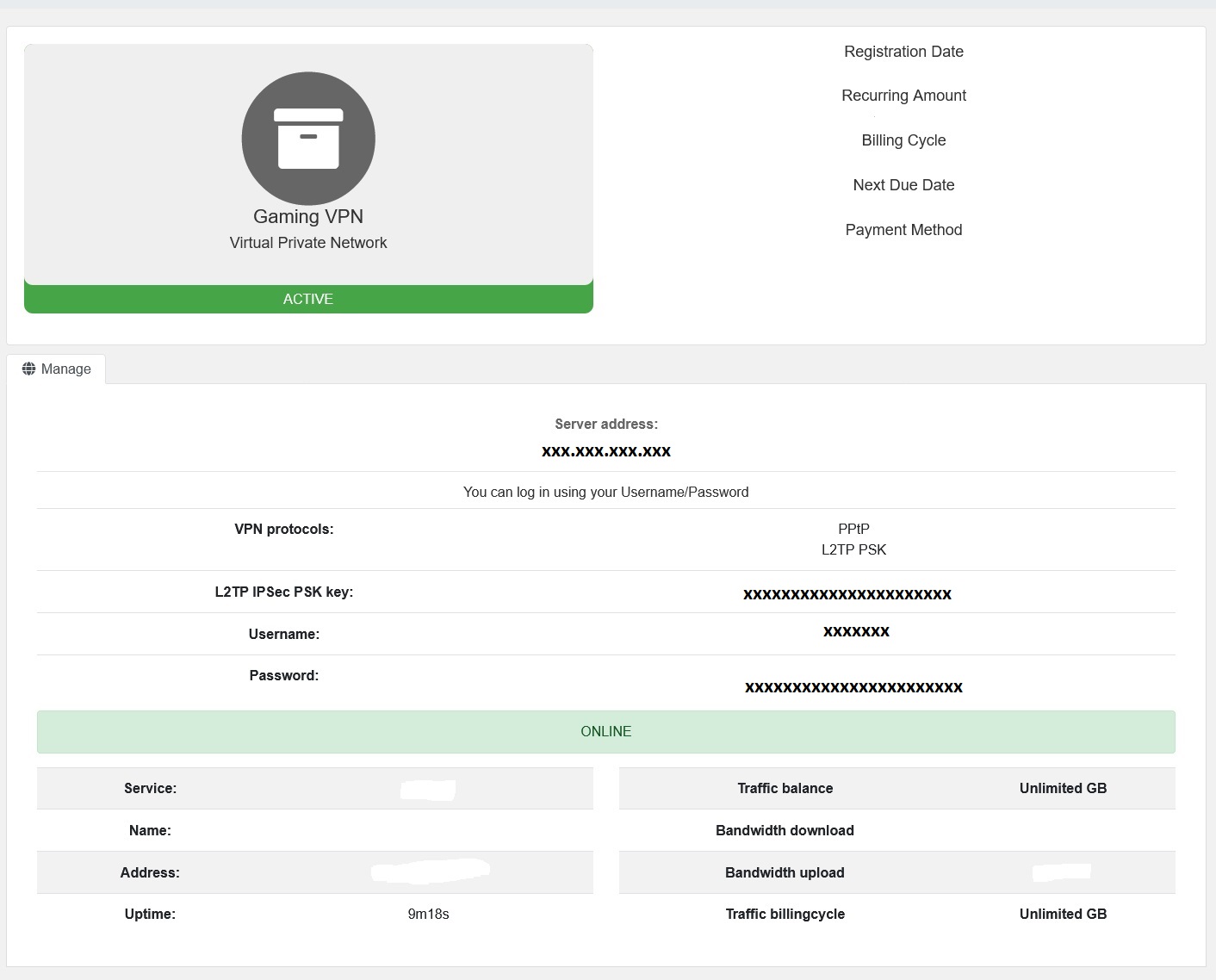
Log in to your account on our website and open your VPN service to see your username, password, server address, and the PSK key.
2. Add a VPN configuration
- Go to Settings → General → VPN.
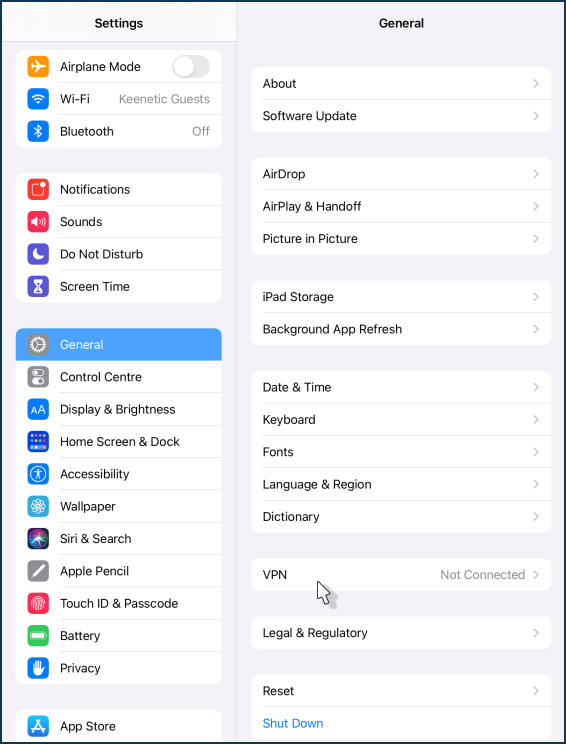
- Tap Add VPN Configuration.
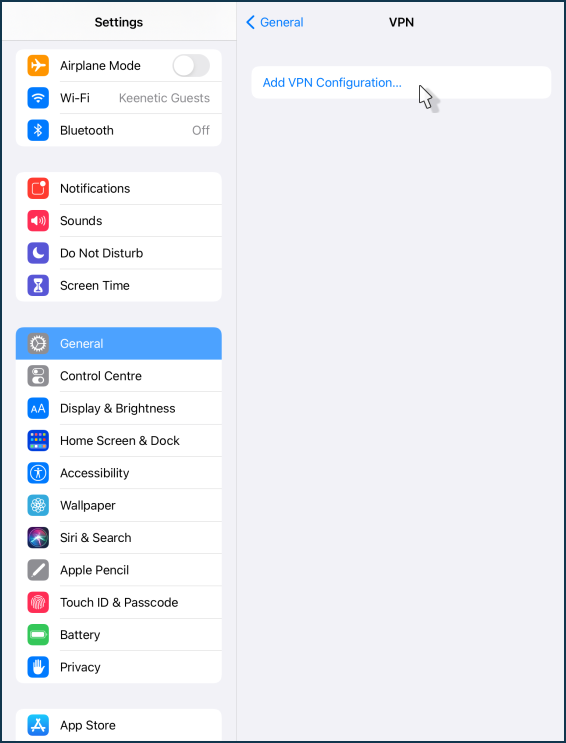
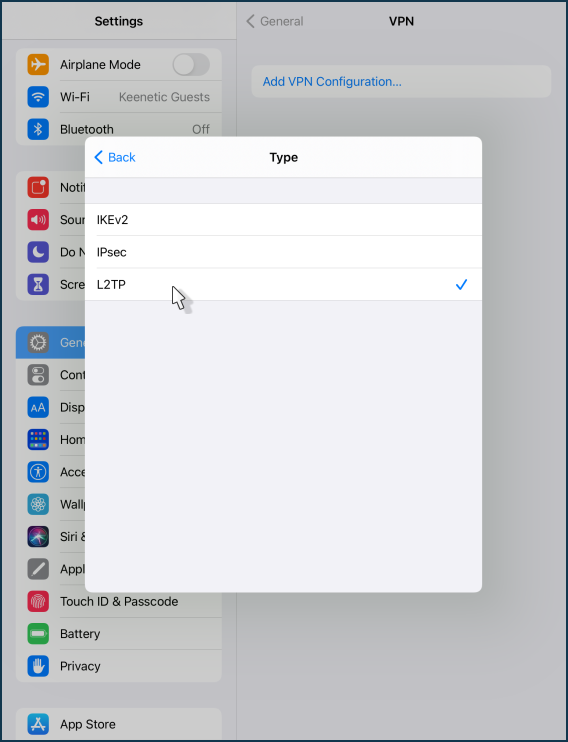
- Tap Type and select L2TP.
3. Enter the details
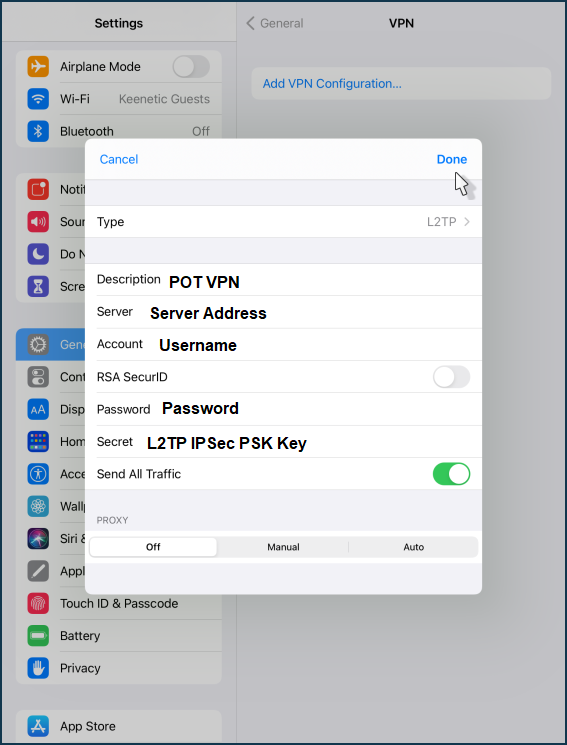
- Description: anything you like (e.g. POT VPN)
- Server: your server address from Step 1
- Account: your POT VPN username from Step 1
- RSA SecurID: off
- Password: your POT VPN password from Step 1
- Secret: your L2TP IPSec PSK key from Step 1
- Send All Traffic: on
Tap Done.
4. Connect
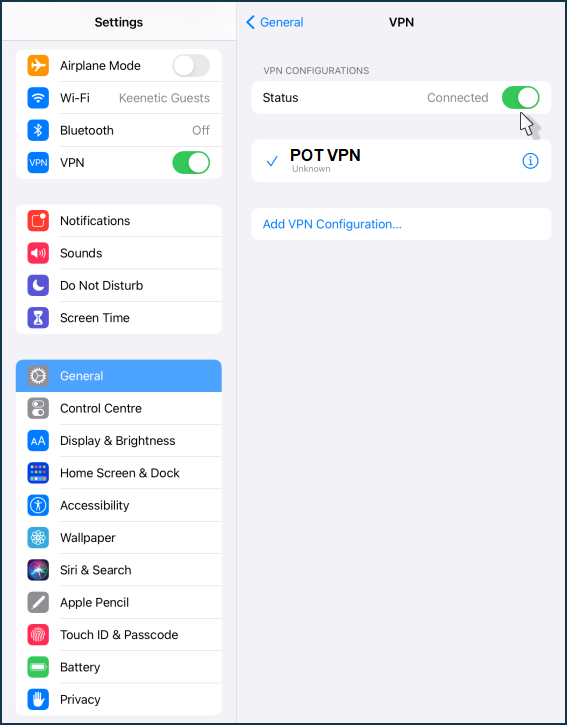
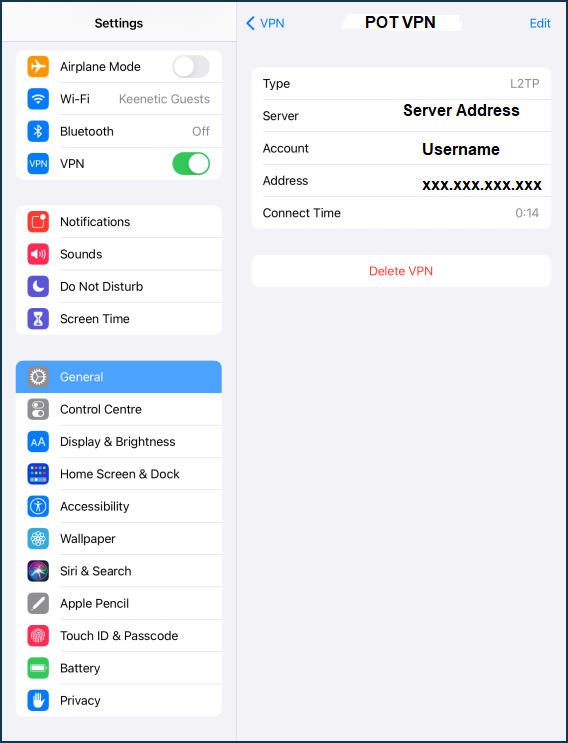
Switch the VPN toggle to Connected. Tap the (i) icon to confirm the connection.