
Add Mods to Your ARK Server via File Manager
If the Game Panel didn't install a mod successfully, you can add any mod manually through the panel's File Manager.
1. Find the mod on your PC
- In Steam, open your library, right-click ARK: Survival Evolved, and choose Properties.
- Open the Installed Files tab and click Browse.
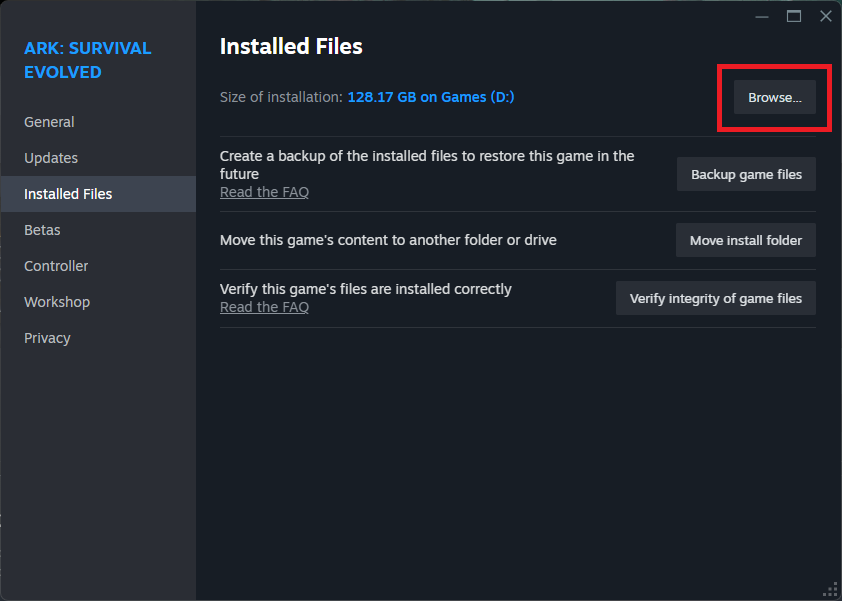
This opens your local ARK files. Navigate to the mods folder:
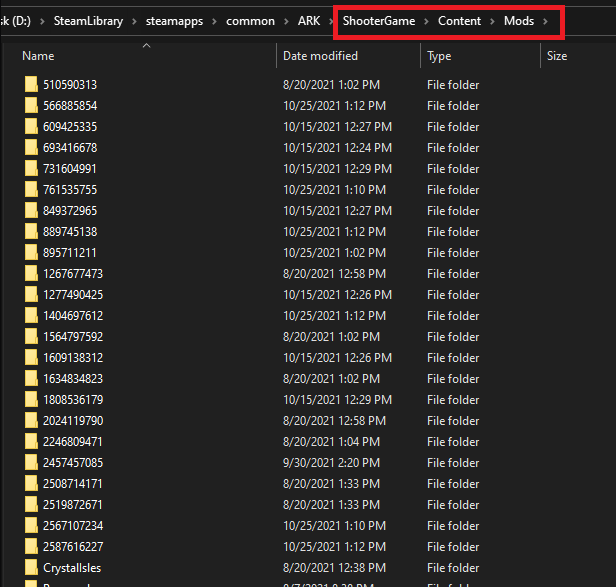
Inside you'll find a folder for each mod (named with its Steam Workshop ID) and a matching .mod file for each.
2. Zip the mod files
For each mod, you need both its folder and the matching .mod file on the server. We recommend zipping them up before uploading — a single zip is easier to move around on the server.
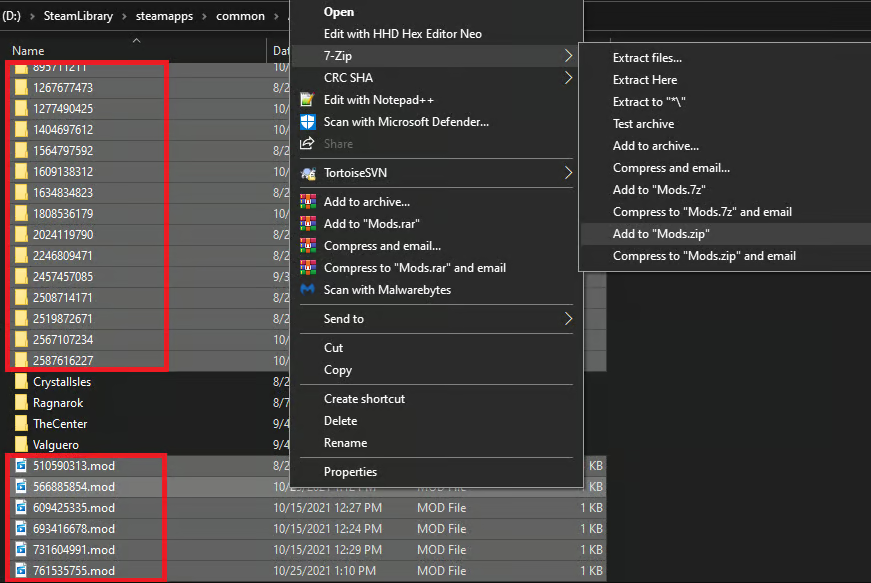
3. Upload via the panel's File Manager
- Log in to the Game Control Panel and open the File Manager.
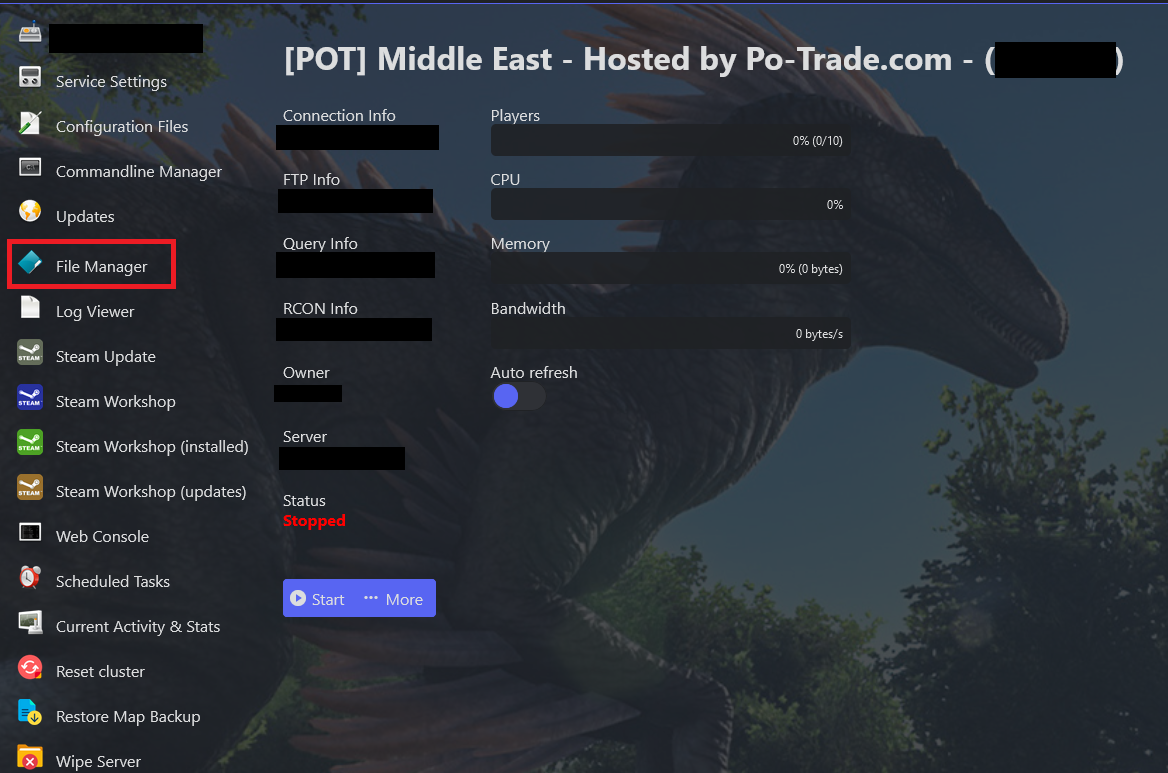
- Go to
/ShooterGame/Content/Mods.
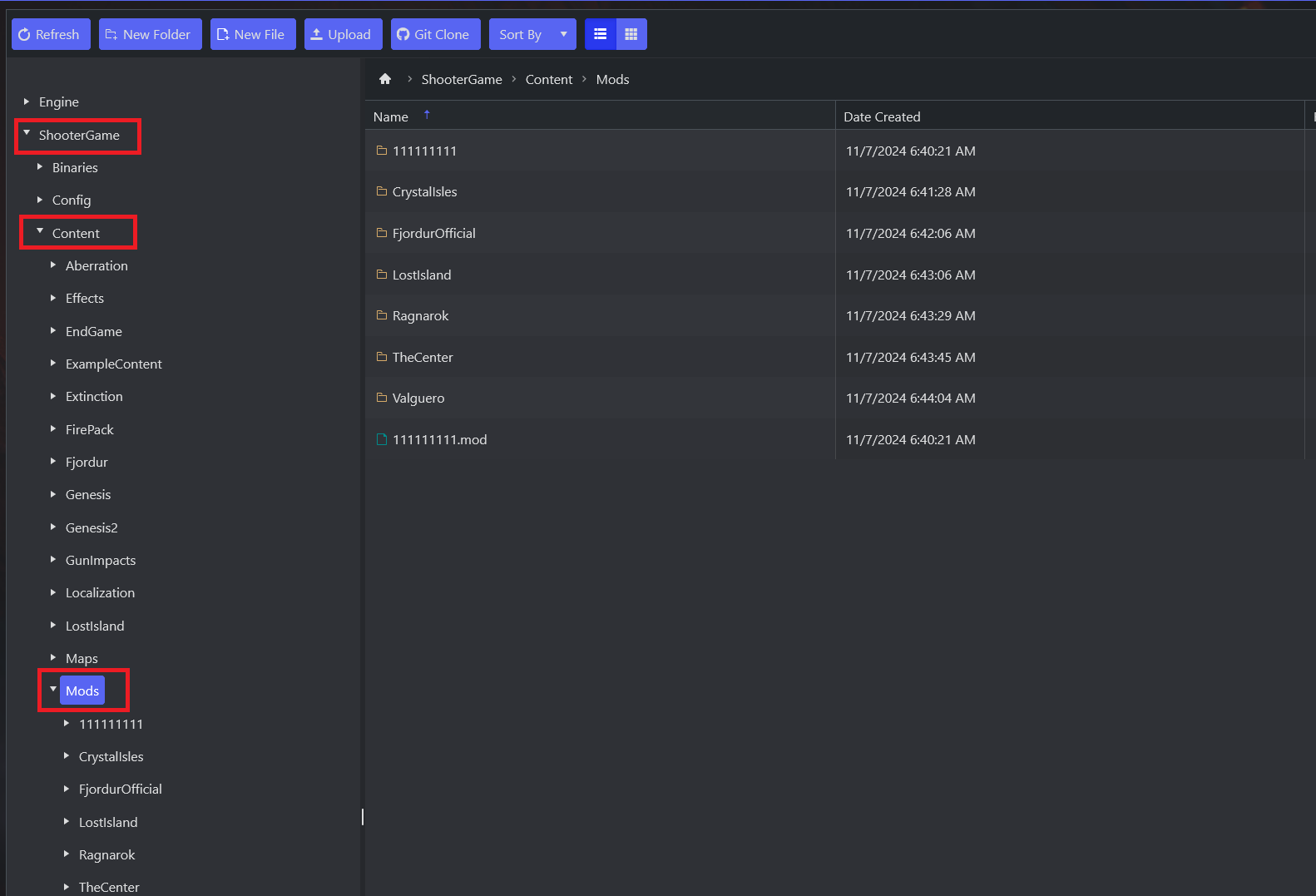
- Upload the zip (click Upload or drag & drop).
- Right-click the uploaded zip and choose Extract.
- Once extracted, delete the zip file — you no longer need it.
4. Enable the mods in the config
- Open Configuration Files.
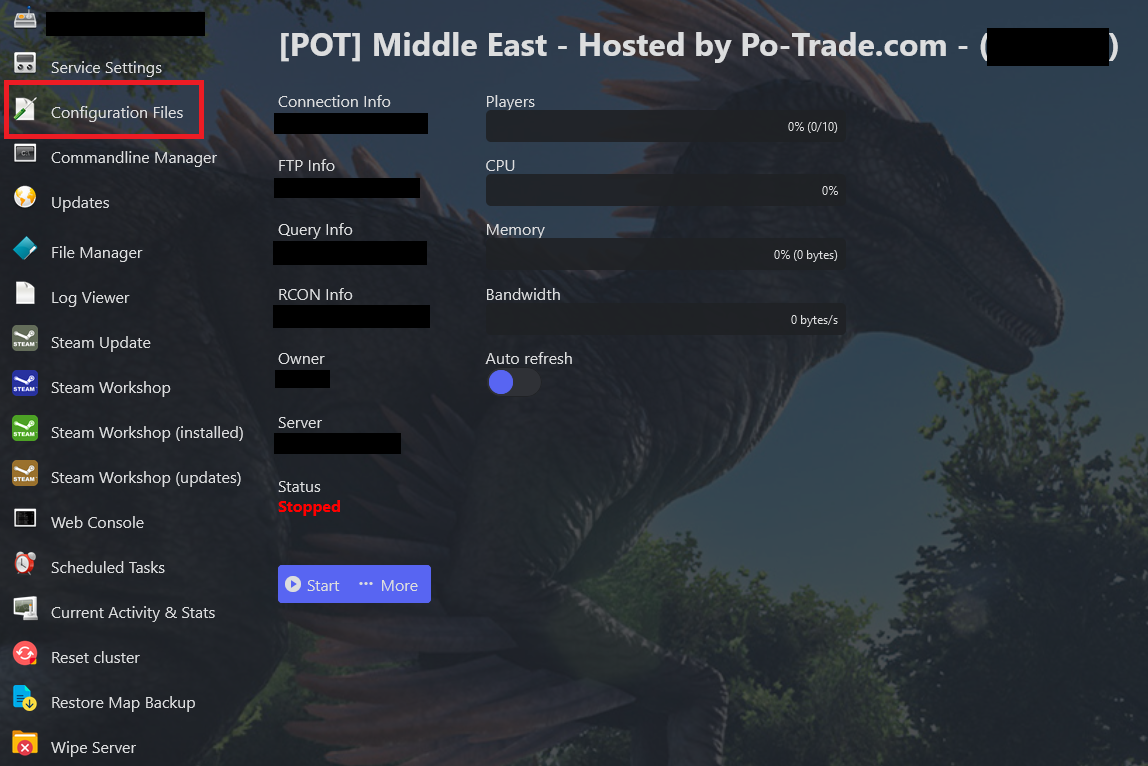
- Open
GameUserSettings.iniwith the Config Editor.

- Add the mod number(s) you uploaded, separated by commas with no spaces (e.g.
11111,22222,33333).
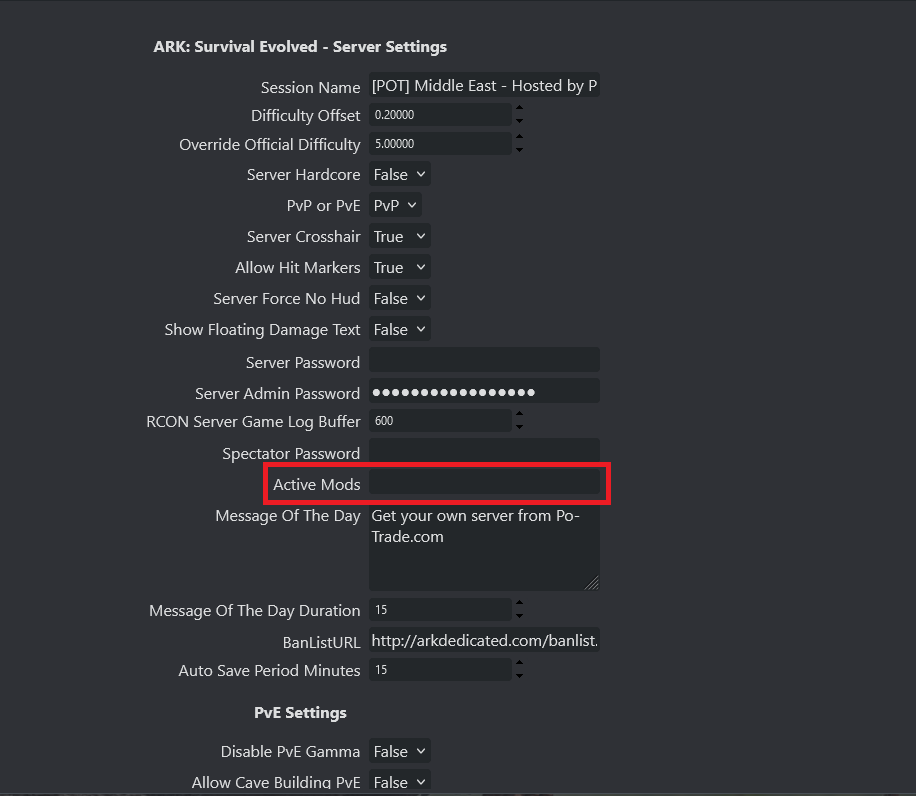
- Save the changes, then Start your ARK server.
