
Change Your Server's Max Players
We don't charge for max players — Minecraft servers are mainly memory (RAM) dependent, so our pricing is based on memory, not player slots. You can adjust your slots up or down freely.
Change your max players
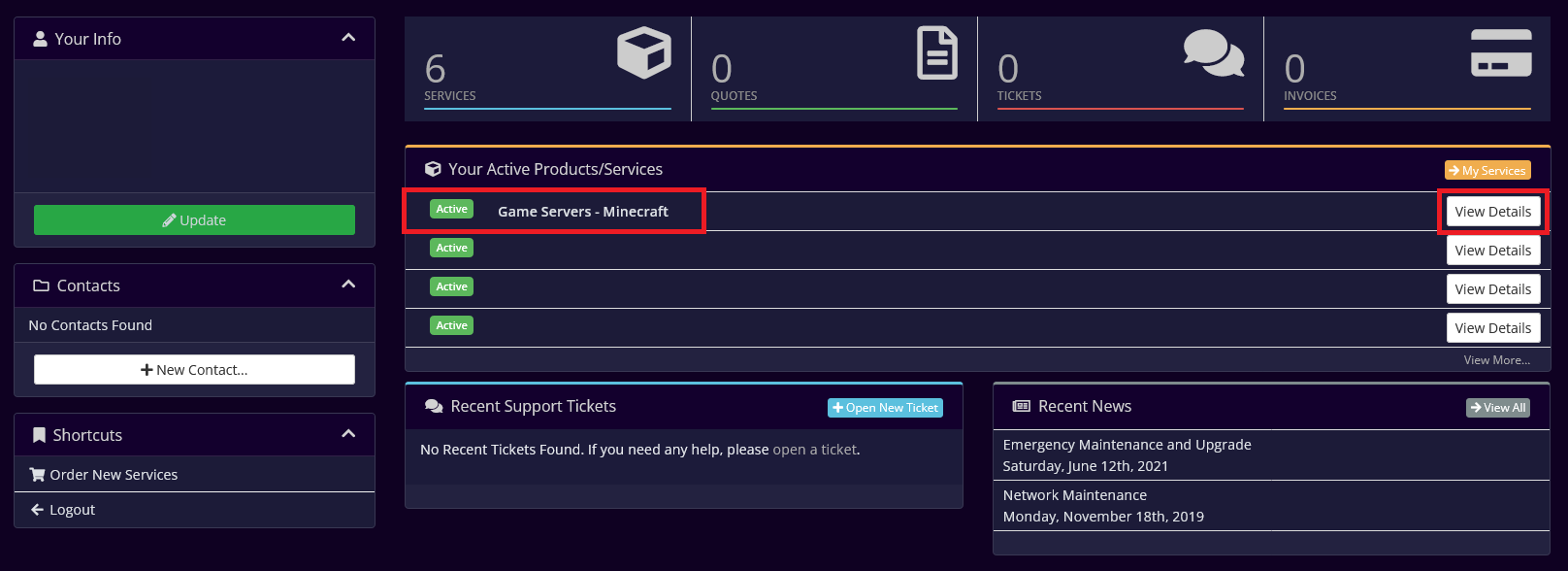
- Log in to your account and open your server.
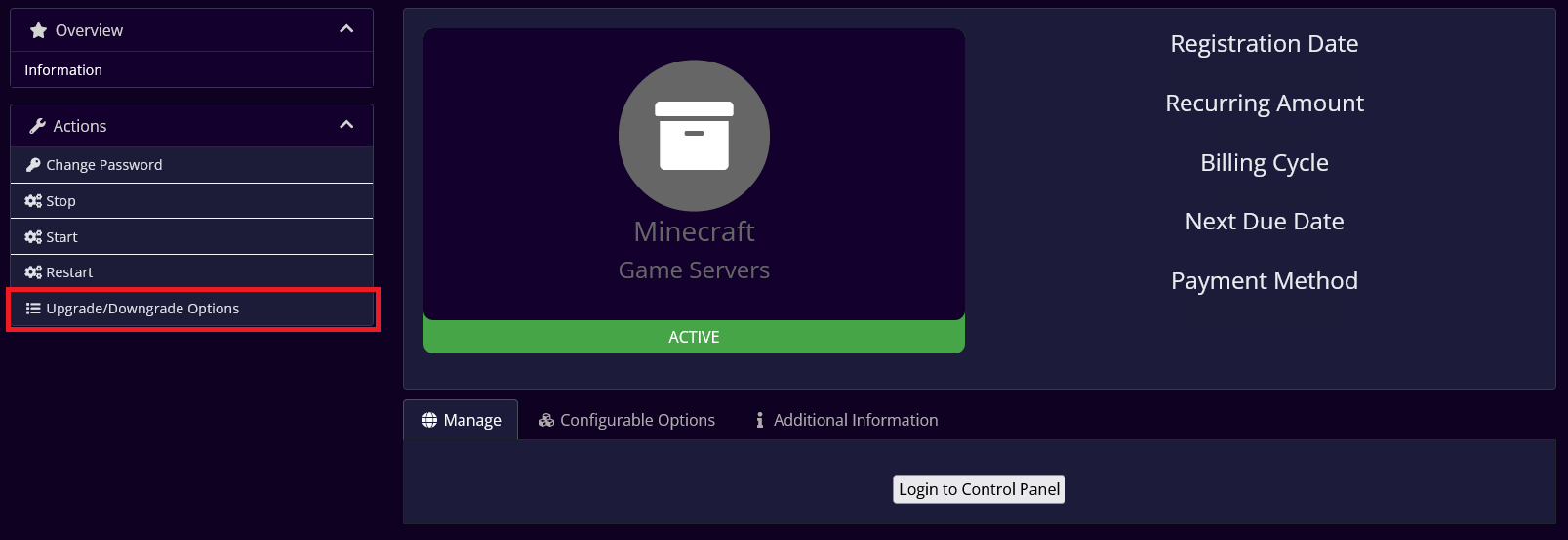
- Click Upgrade/Downgrade Options in the side menu.
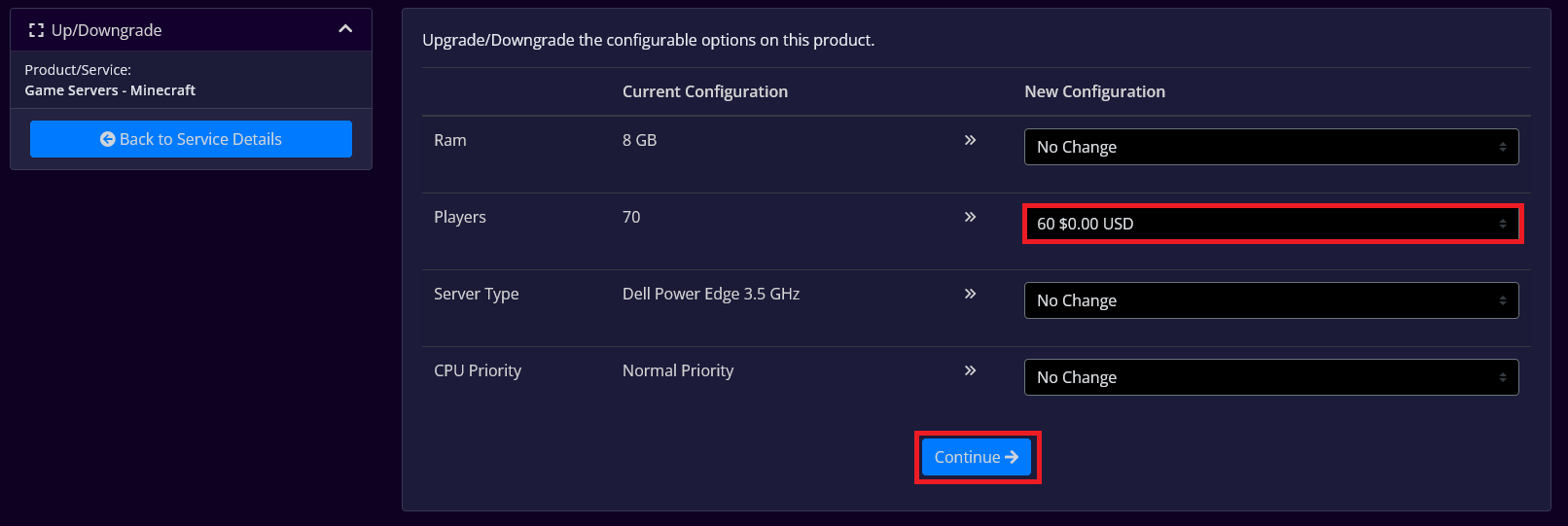
- In the Players dropdown, choose your desired slots (up or down), then click Continue.
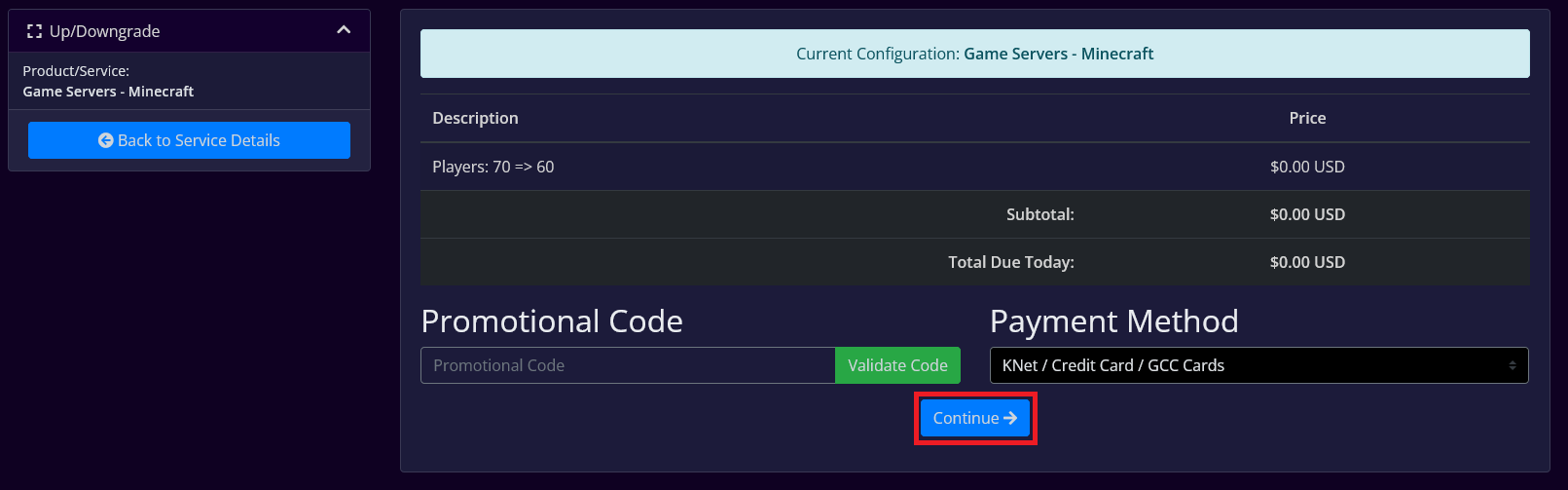
- Confirm the change and click Continue.
- On the order confirmation page, click Continue to Client Area.

- Open the Game Control Panel — your server's max players has been updated.
