Set Up a Scheduled Auto-Save for Your ARK Server
Want your ARK server to save more often than the default? You can schedule an auto-save with a recurring RCON command.
Note: without this, the server uses its default save frequency of every 15 minutes.
Create the auto-save task
- Log in to the Game Panel and Stop the server.
- Go to Scheduled Tasks and create a Console/RCON Command task.
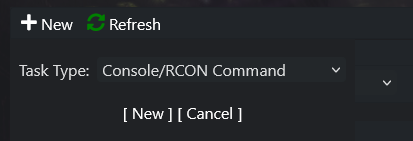
- Click New.
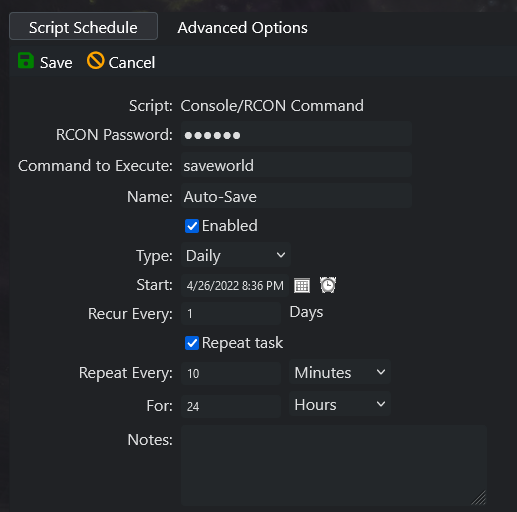
- Enter the RCON password (your server admin password, found in
GameUserSettings.ini). - Name it Auto-Save.
- Set the time and date for the first run.
- Set it to repeat every 10 minutes for 24 hours.
- Set the command to run to
saveworld. - Save the task, then Start the server.
Example: