
Extend a Partition on Windows Server 2022
Windows Server 2022 changed how it handles partitions, so our automatic extend script can't fully resize it for you. To make this easy, we've preinstalled EaseUS Partition Master on your VPS desktop. Here's how to extend a drive (we'll use the C: drive as the example).
1. Extend the partition
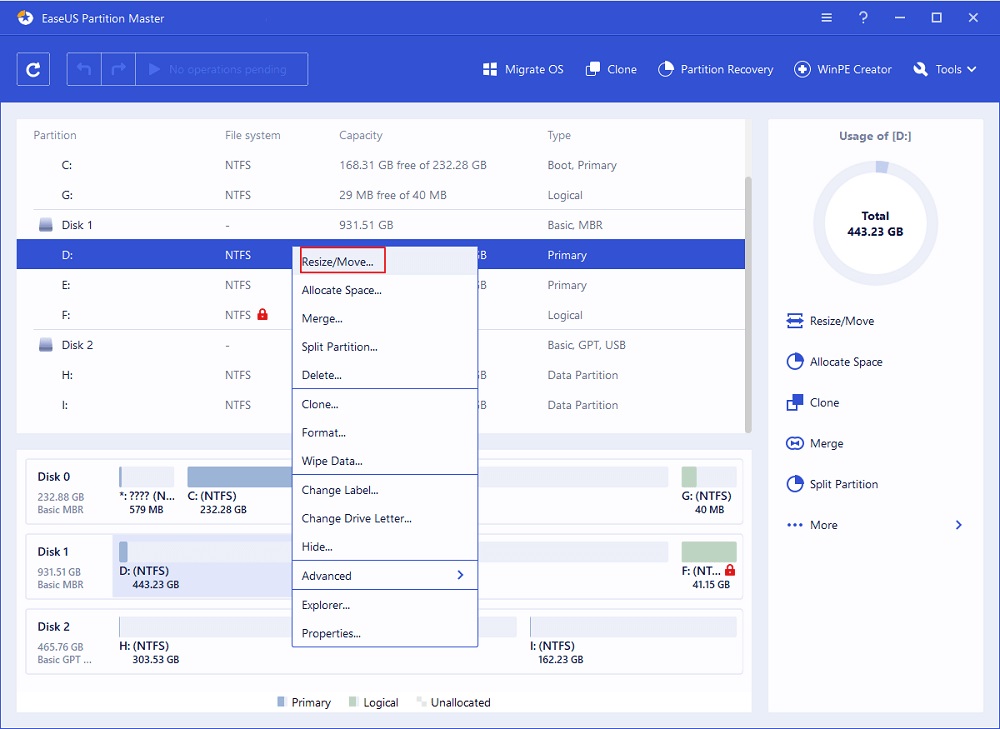
- Right-click the target partition and choose Resize/Move.
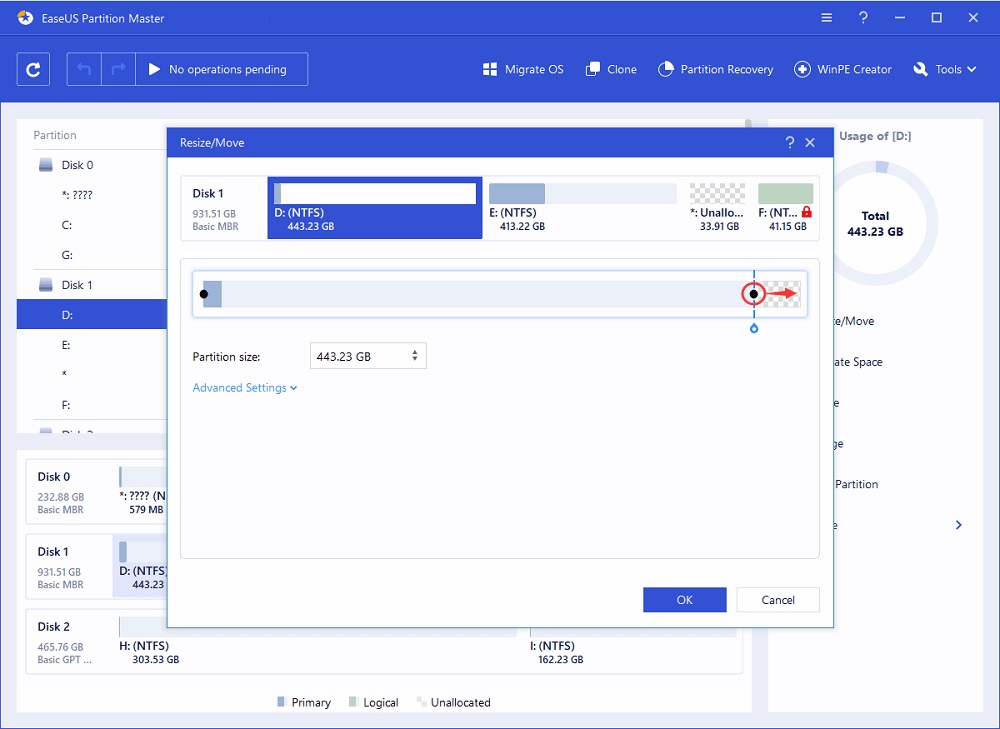
- Drag the partition handle into the unallocated space to extend it.
2. Apply the change
- Click Execute Operation, then Apply.
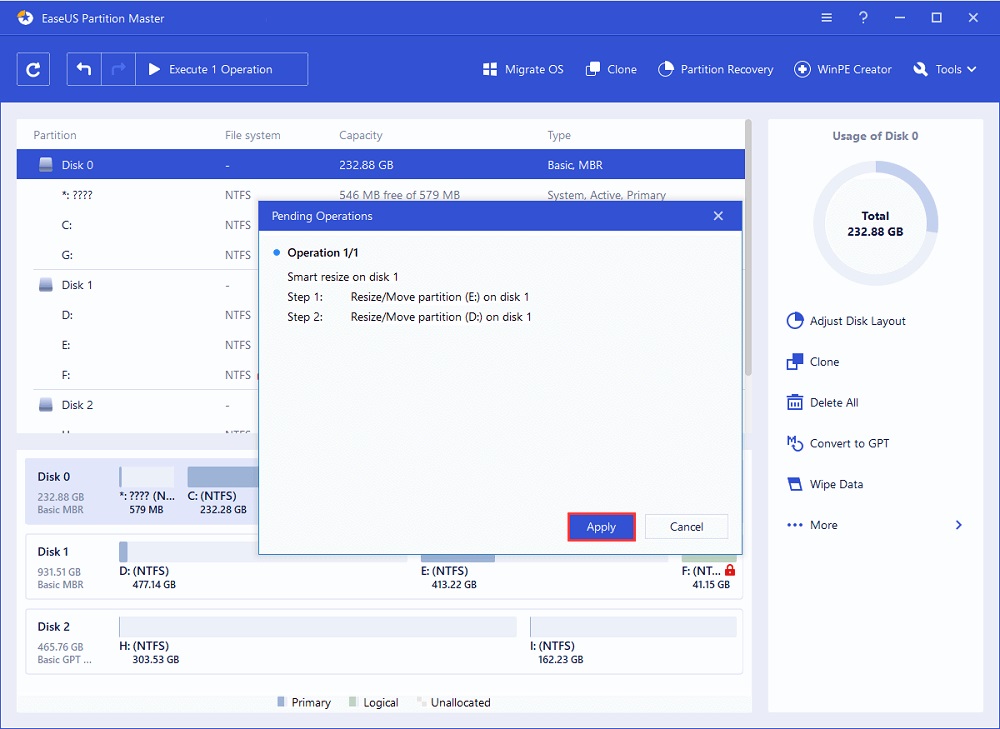
Check your C: drive — it should now show the larger size.
