
Speed Up Your Website with Redis Caching
We run a Redis caching system that stores data in memory for sub-millisecond read/write speeds — a great way to boost your WordPress site's response time. Here's how to connect your site to it.
You'll need: a domain hosted with us. Redis host:
rds.po-trade.com, port32799.
1. Add the Redis settings to wp-config.php
Add these lines just before the /* That's all, stop editing! */ line (change your_domain to your site):
define( 'WP_CACHE_KEY_SALT', 'your_domain:' );
define( 'WP_REDIS_HOST', 'rds.po-trade.com' );
define( 'WP_REDIS_PORT', 32799 );
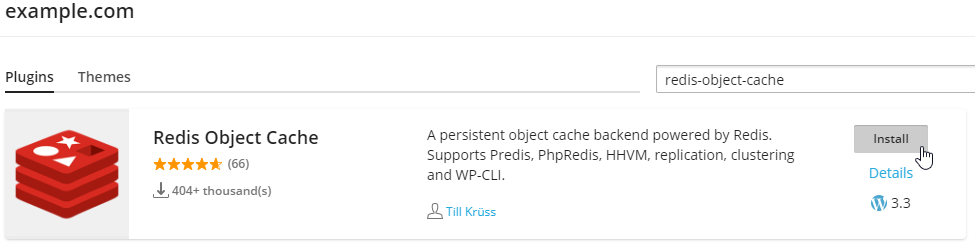
2. Install the Redis Object Cache plugin
In your WordPress admin, search for and install the Redis Object Cache plugin.
3. Enable object cache
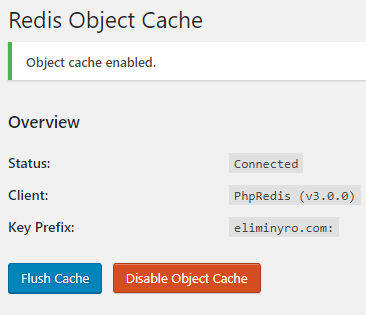
On the plugin's settings page, click Enable Object Cache. When connected it looks like this:
That's it — enjoy a faster WordPress site.
