
Fix the "504 Gateway Time-out" Error When Installing Plugins
Some modern WordPress plugins take a while to run, and if the hosting panel's PHP time limit is too low you may see:
Update failed: 504 Gateway Time-out (nginx)

Increase the PHP execution time
- Log in to your hosting control panel.
- Go to Domains → your-domain.com → PHP Settings.
- Set max_execution_time higher than the default. For example, the default is 30 seconds — try 120, and if it still times out, 400.
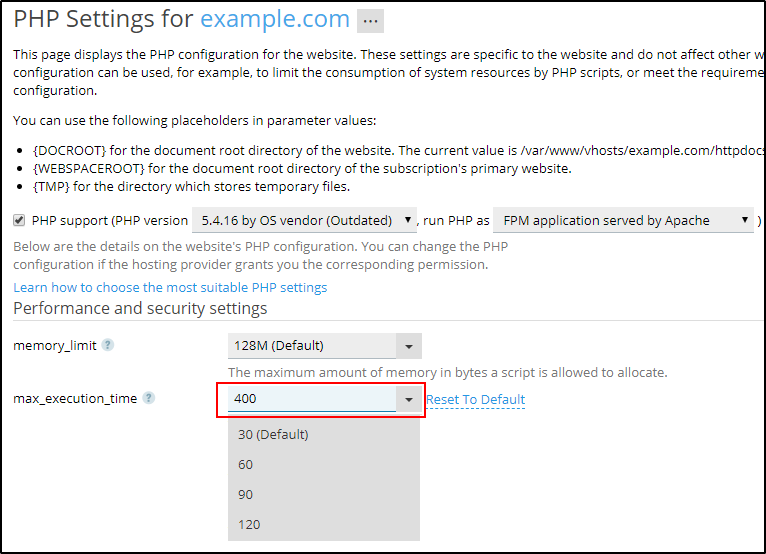
- Click OK and apply the changes.
