
Set a Password for Your Palworld Server
Add a password so only the people you invite can join your Palworld server.
Set the password
- Log in to the Game Control Panel.
- Open your server, Stop it, then click Configuration Files.
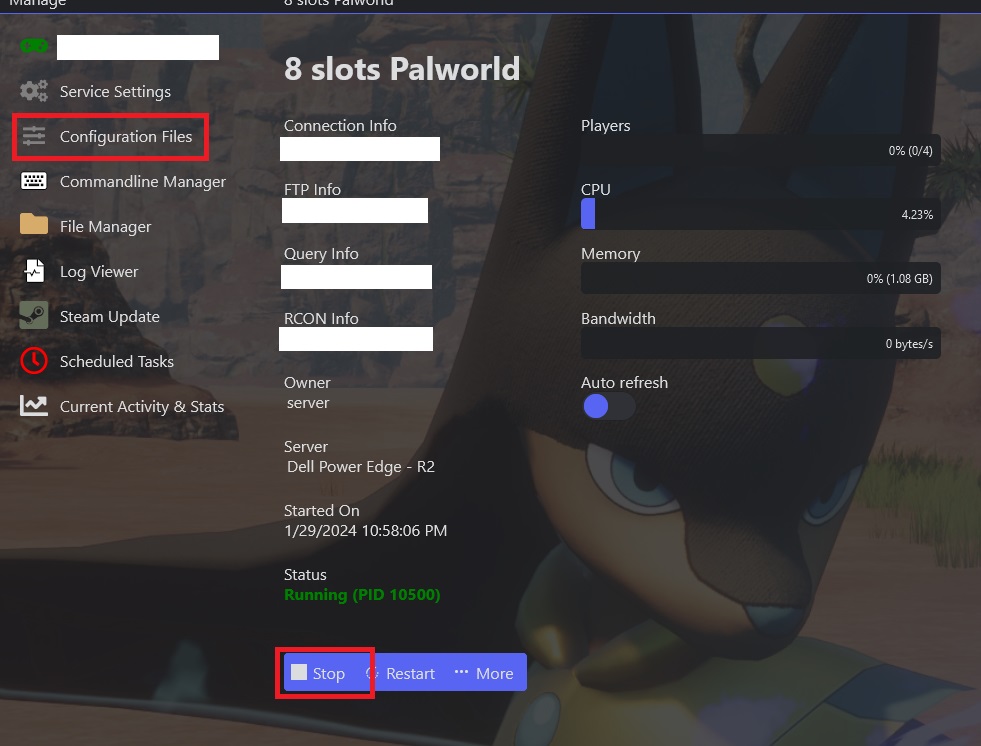
- Click Config Editor.

- Enter your password in the Server Password field.
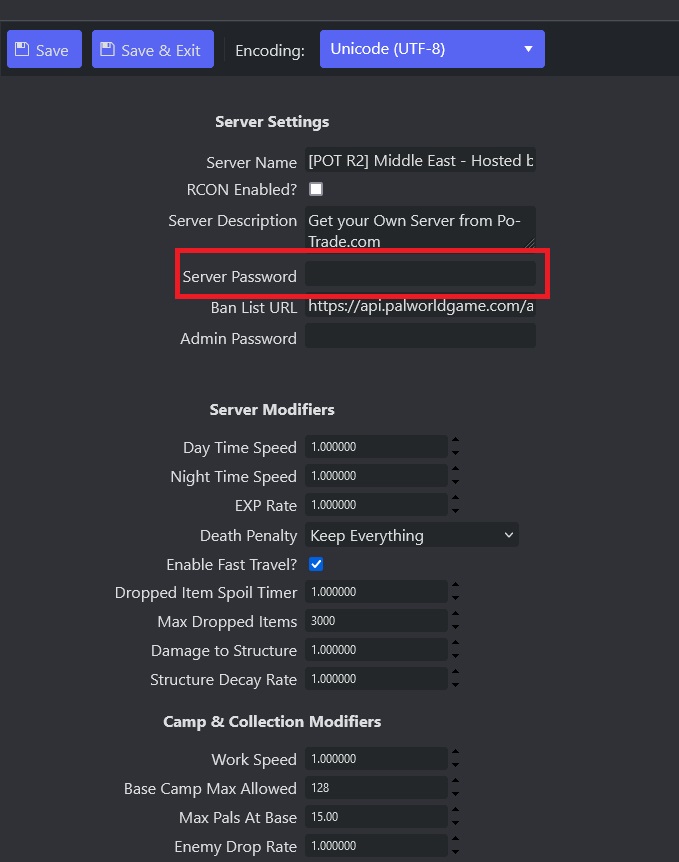
- Save & Exit, then Start the server.
Note: do not use the same value for your Server Password and your Admin Password, and keep your Admin Password strong.
