
Set Up Your Factorio Server for the First Time
Factorio dedicated servers need your factorio.com credentials before they will start — otherwise the server fails to launch (you'll often see an "Error PID 0" message). This guide gets your server running for the first time.
Before you begin: you'll need a factorio.com account (username and password) that is linked to Steam.
1. Open the server settings
- Log in to the Game Panel and open your server.
- Click Configuration Files, then the Editor button.
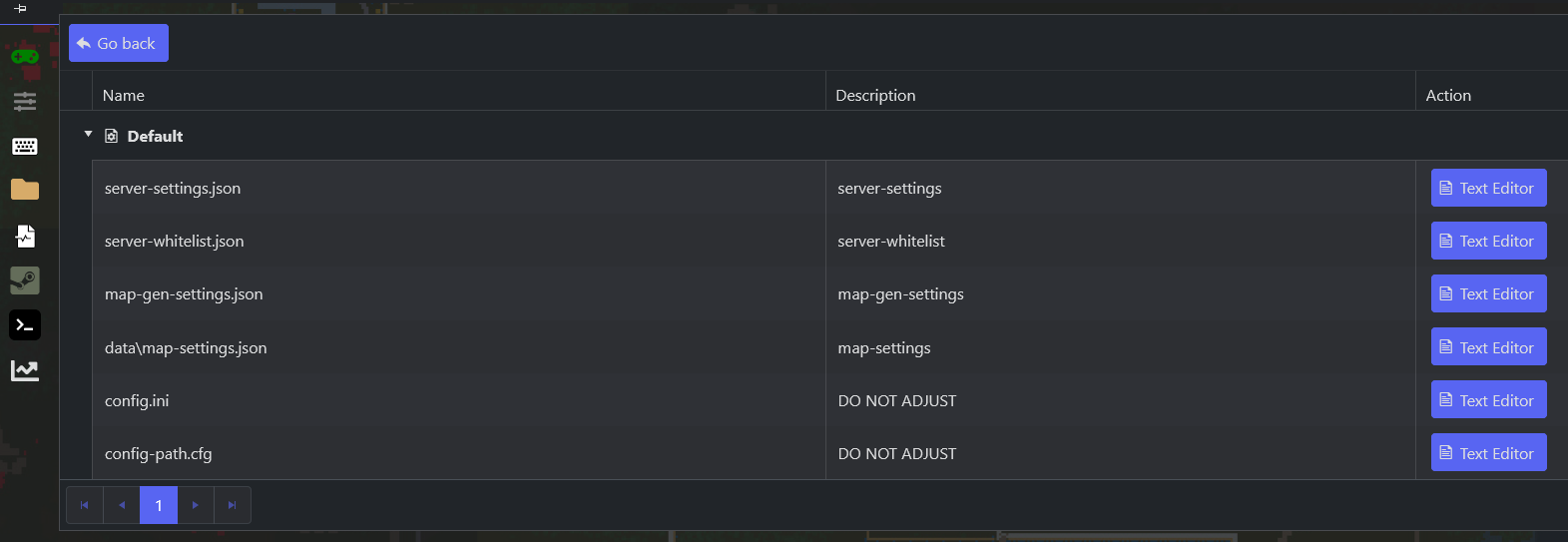
- Open
config/server-settings.json.
2. Add your factorio.com credentials
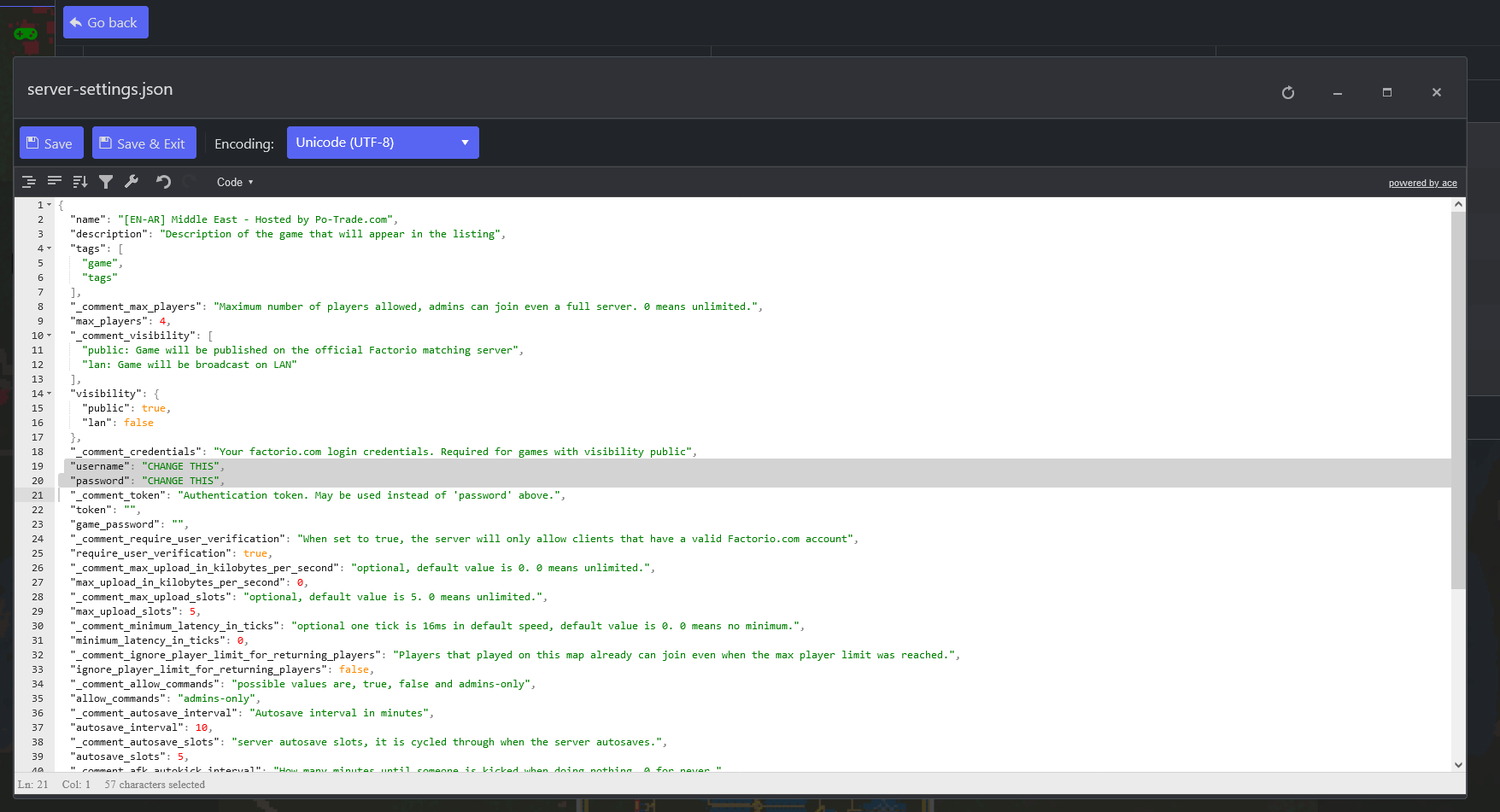
In that file, find the visibility and credentials section:
"visibility":
{
  "public": true,
  "lan": false
},
"username": "",
"password": "",
Enter the username and password you use to log in to factorio.com (the account linked to Steam).
3. Save and start
- Save the config file.
- Start your server.
Your server should now appear in the in-game server list.
