
Switch Games with the Game Server Pack
If you have a Game Server Pack, you can switch between games whenever you like.
Switch games
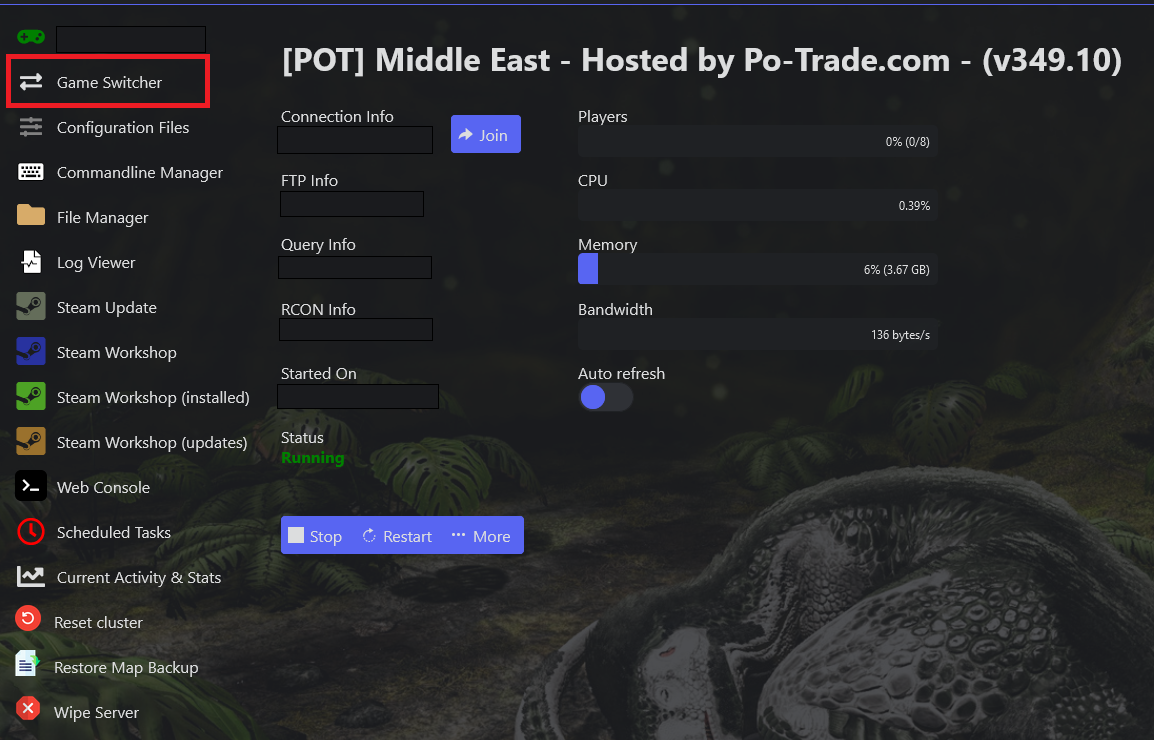
- Log in to the Game Panel, open your server, and click Game Switcher in the side menu.
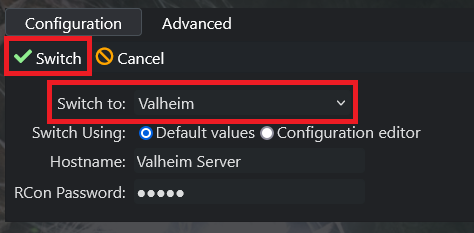
- Choose the game you want to switch to and click Switch. The server removes the current game's data and installs the new one.
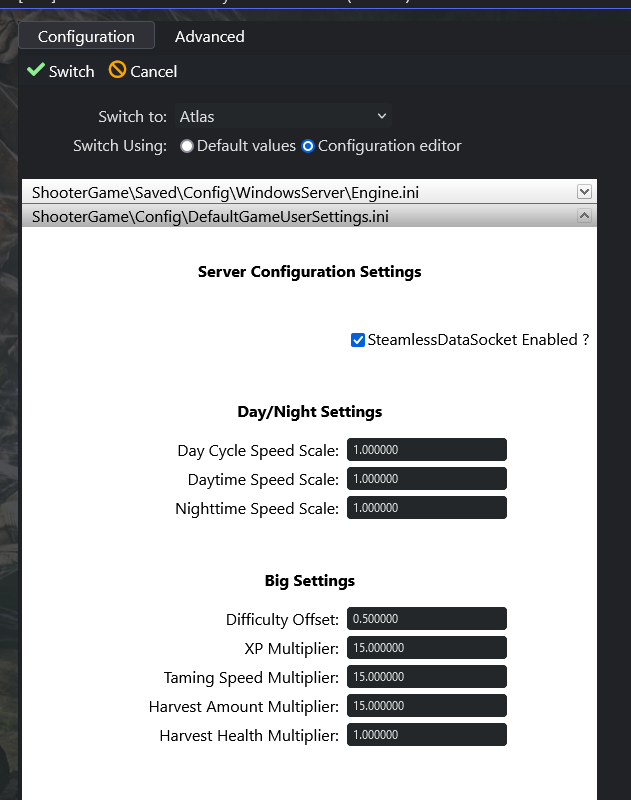
- You can configure the new server's settings before switching to save time, or do it later via Configuration Files.
- Once the switch is done, start your server as usual. Repeat these steps anytime to switch again.
Please note: switching games wipes and deletes all files and data on the current server. Your max players carries across all games (some games have a fixed player count and don't support custom max players).
