
Upgrade Your Game Server's Components
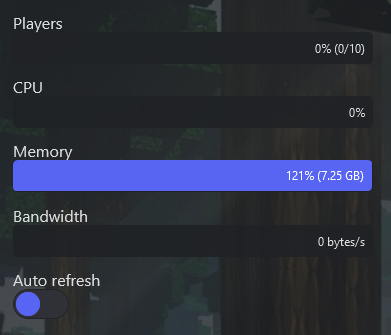
If your game server needs more performance — for example RAM has maxed out and the server is unstable — you can upgrade its components.
Upgrade your components
- Log in to your account on our website and open your server's details.
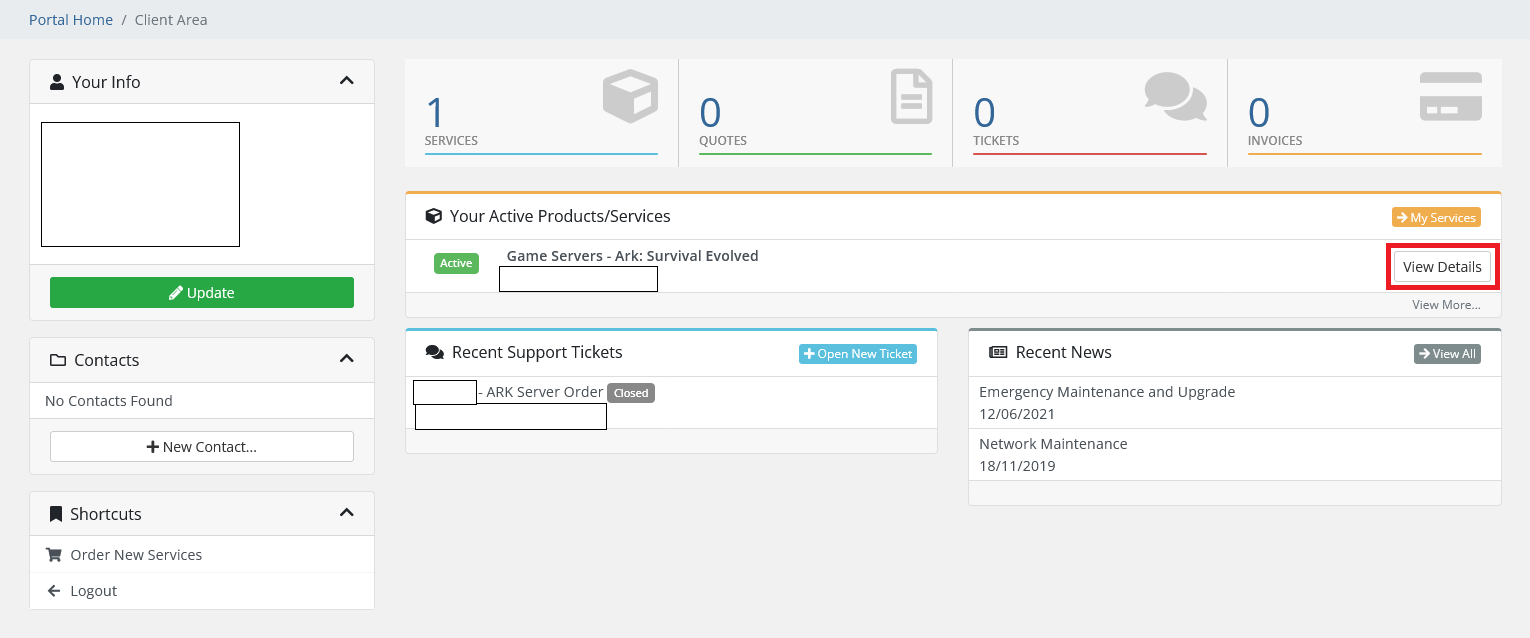
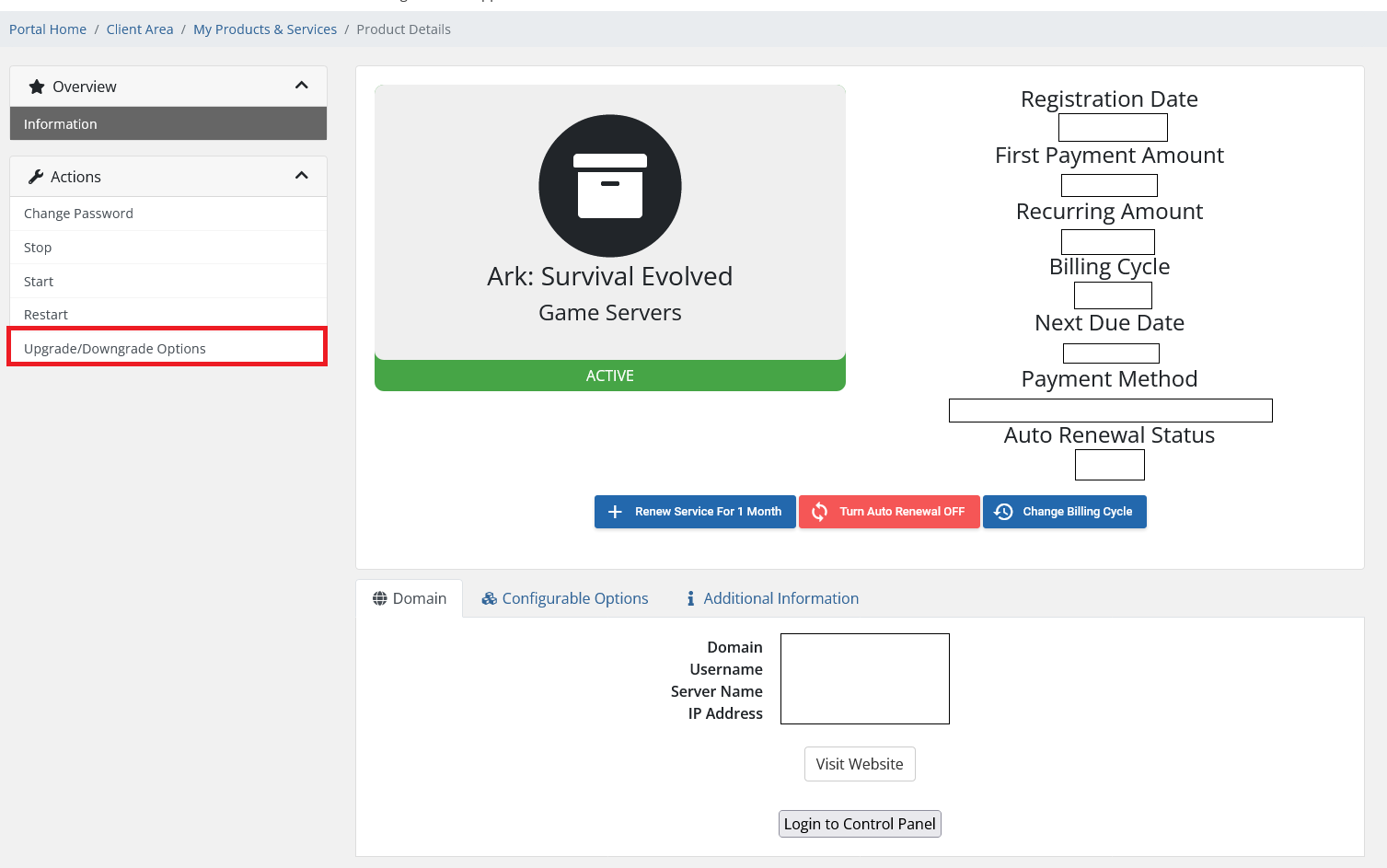
- In the side menu, click Upgrade/Downgrade Options.
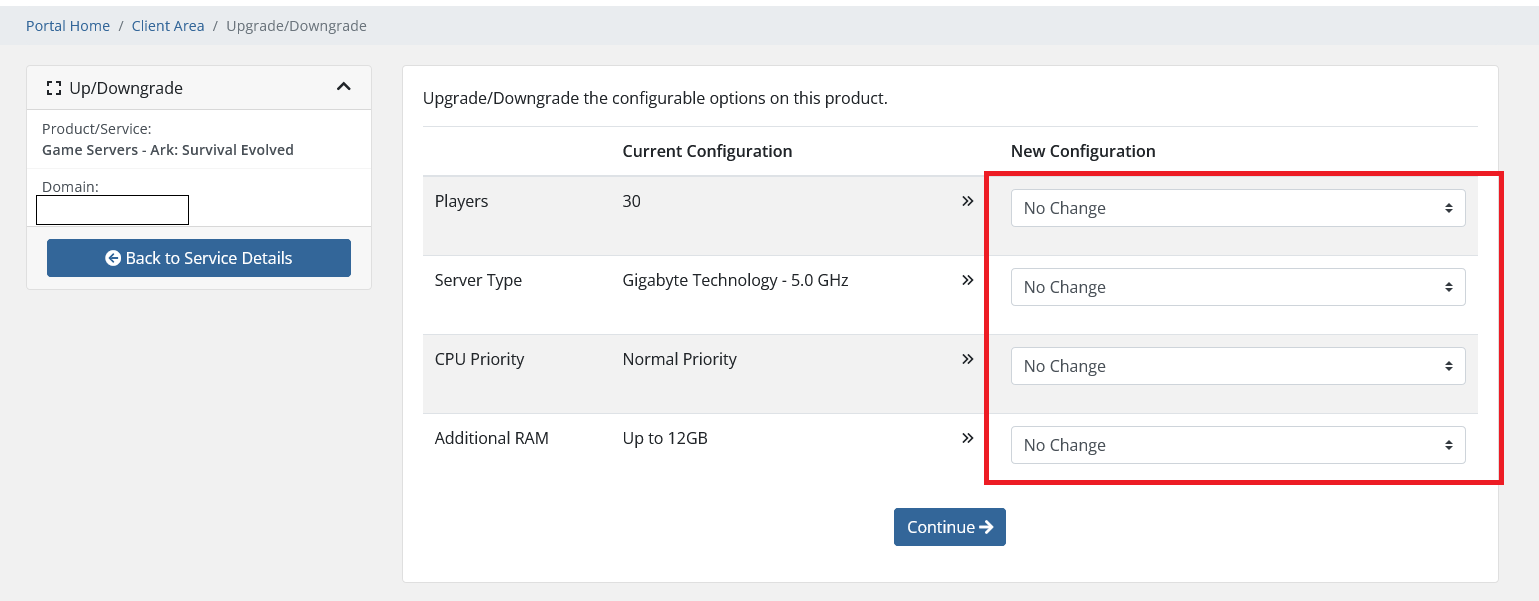
- Choose your new Players, Server Type, CPU Priority, and RAM from the dropdowns, then click Click to Continue.
- Complete the upgrade purchase — the changes apply immediately.
- Restart your game server for them to take effect.
