Upload Your Own Savegame to Your Satisfactory Server
Uploading your own savegame is quick.
Upload your save
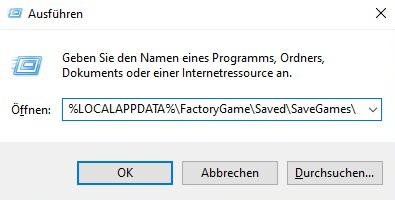
- Press Windows + R and paste this path to open your saves folder:
%LOCALAPPDATA%\FactoryGame\Saved\SaveGames\ - Find your save here (rename it if you like).
- Stop your server.
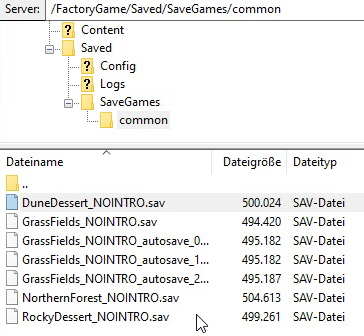
- Connect to your server via FTP or the File Manager (both in the Game Panel) and go to
FactoryGames/Saves/SaveGames/common. - Upload your savegame here.
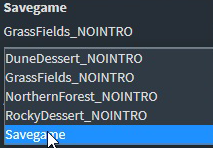
- Open the server's Basic Settings, select the uploaded savegame, save, and Start the server.
Have fun!