
Change Your Cloud Office Language
You can change the display language of Cloud Office (for example, to Arabic).
Change your language
- Log in to Cloud Office.
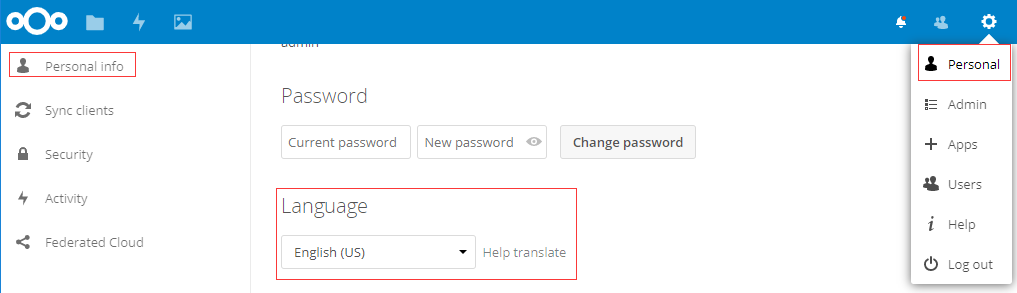
- Go to Personal, then Personal Info.
- Set your preferred Language — it applies right away.
You can change the display language of Cloud Office (for example, to Arabic).