
Add Mods to Your Soulmask Server
Adding mods to your Soulmask server takes two steps: find the Workshop Mod IDs, then apply them in the Game Panel.
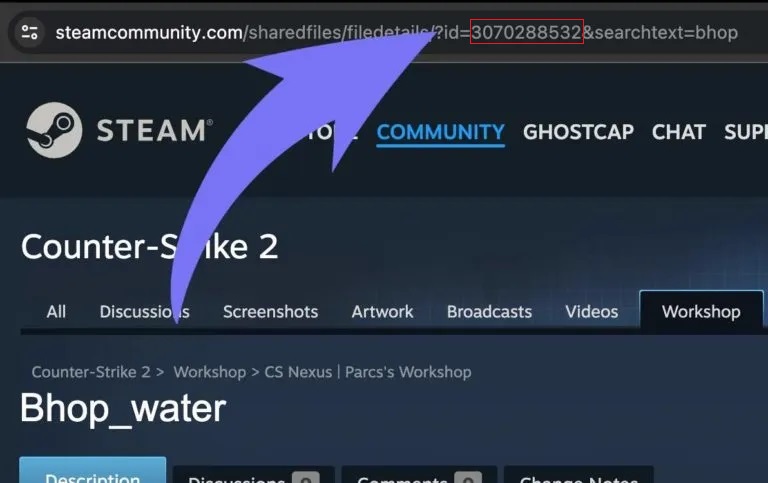
1. Find the Workshop Mod ID
On the mod's Steam Workshop page, copy its ID from the URL.
2. Apply the Mod IDs in the panel
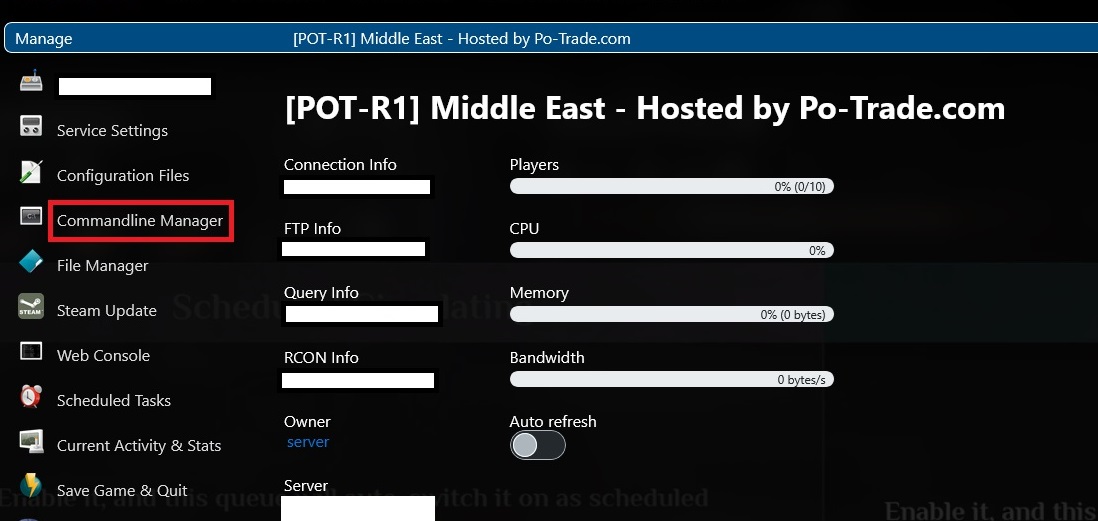
- Open the Game Panel and click your server.
- Click Commandline Manager.
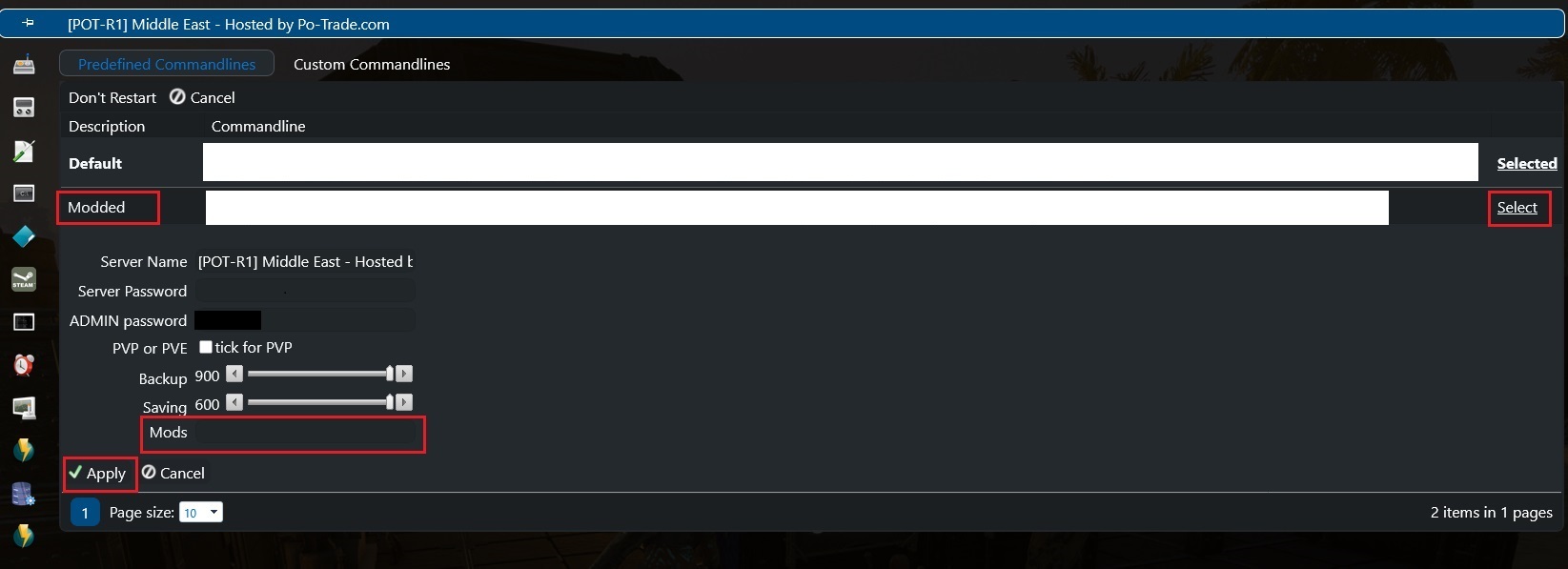
- Click Modded — a Mods field appears.
- Paste the Mod ID(s) you copied and Apply.
- Restart your server.
Format: single mod —
3325629900; multiple mods —3325629900,3325143163,3325592770(comma-separated, no spaces).
