
Extend Your Ubuntu VPS Storage
When you buy or upgrade VPS storage, our script resizes the disk automatically on reboot. If it isn't resized automatically, you can do it yourself in a few steps.
Resize the disk
- On your VPS, open the Disks app.
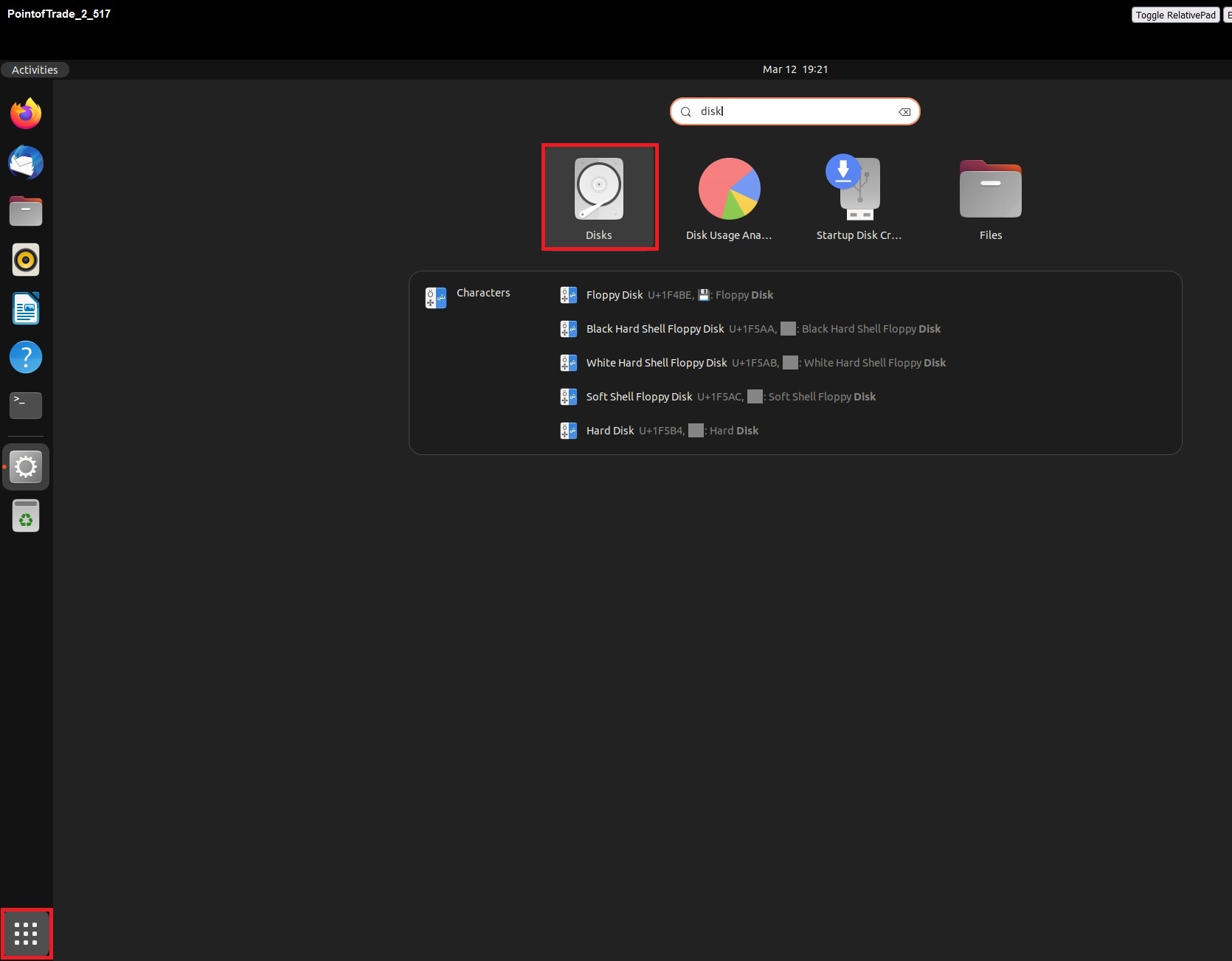
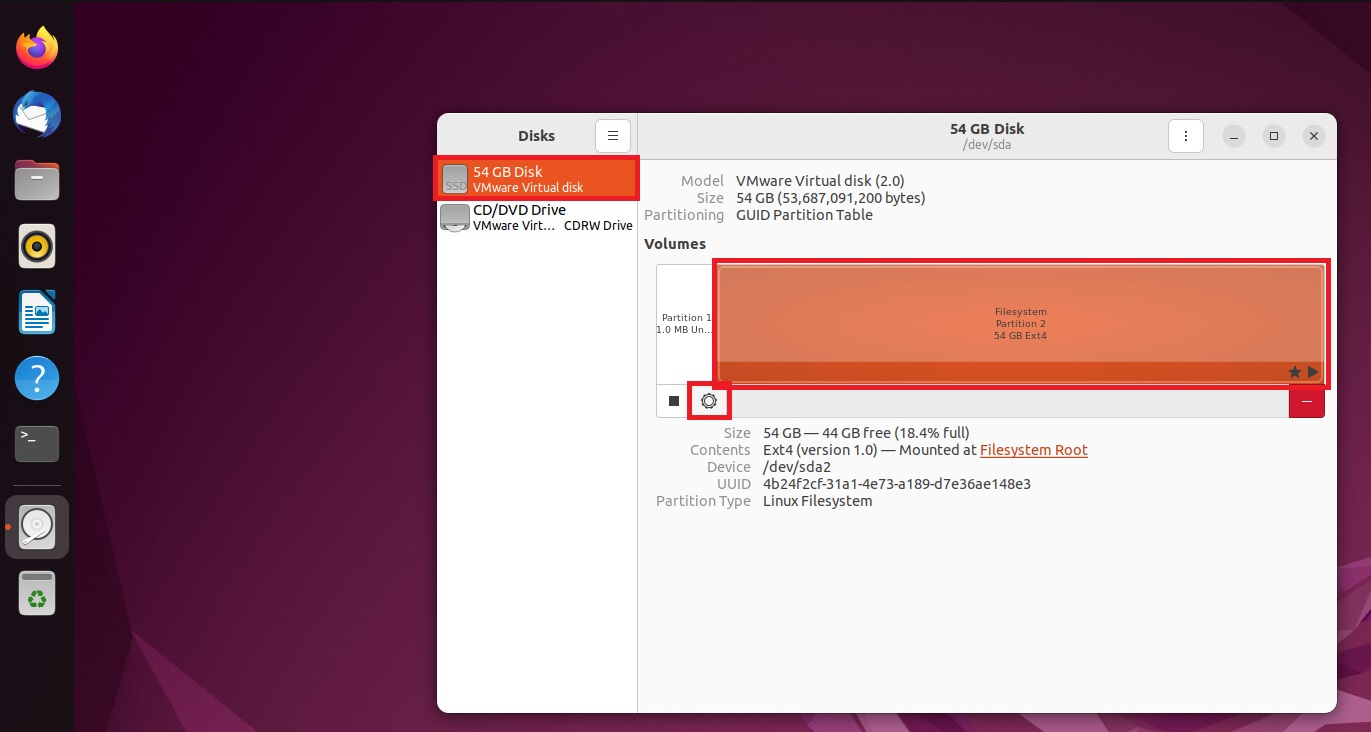
- Select the VMware Virtual Disk, then Additional partition options.
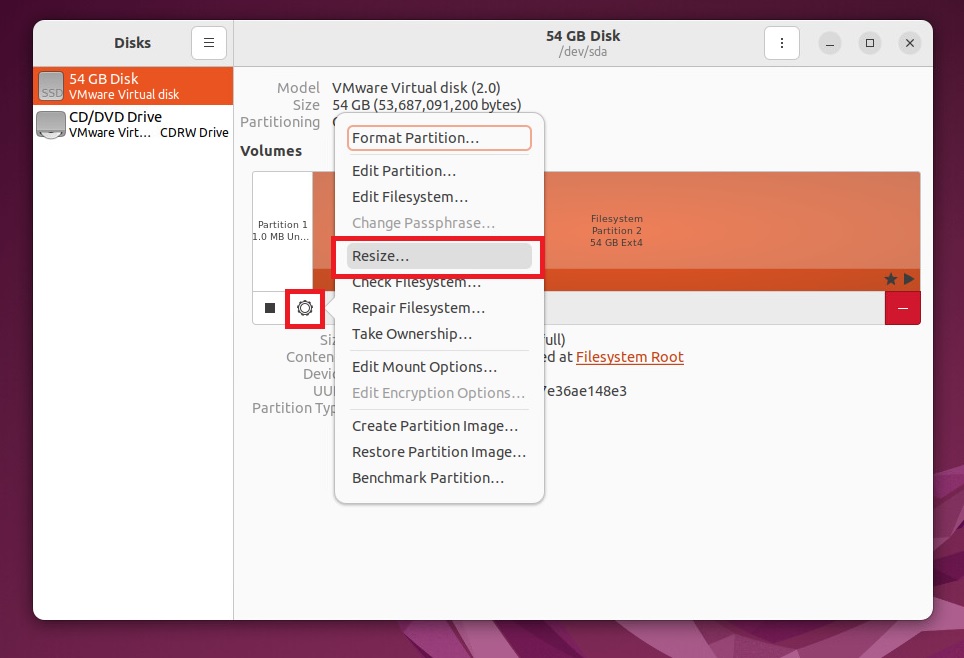
- Click Resize.
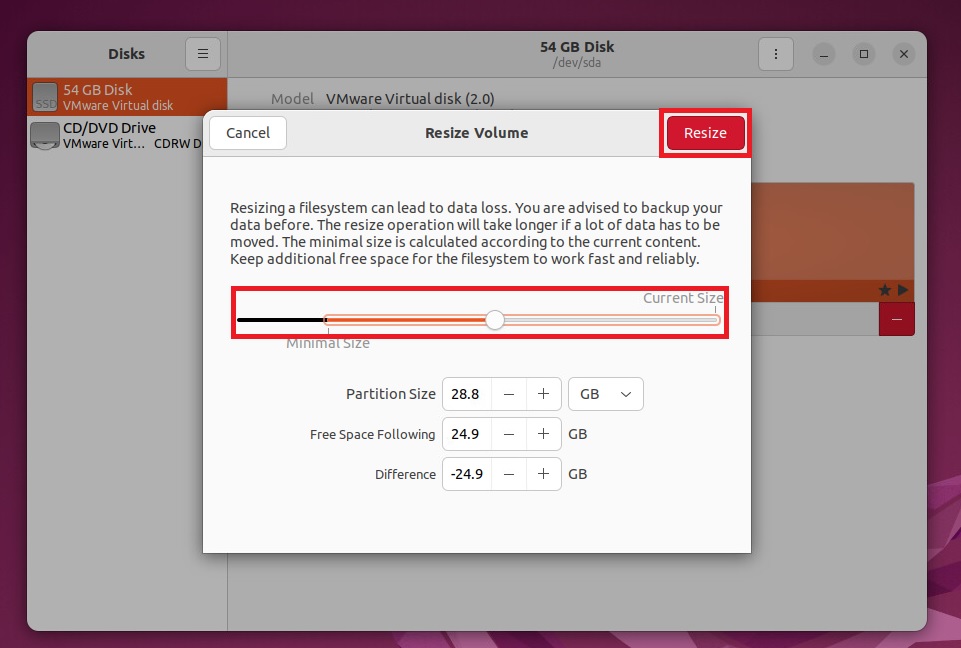
- Use the slider to set the storage you purchased (usually the maximum), then click Resize.
Shrinking: this tool expands storage but generally can't shrink it (shrinking needs booting from a Live CD to unmount the disk). If you need to shrink, please open a support ticket and we'll help.
