
Change the Scenario on Your ArmA Reforger Server
ArmA Reforger starts on the default Conflict scenario. You can switch to any of the official scenarios below by editing your server config.
Change the scenario
- Log in to the Game Panel, open your server, and Stop it.
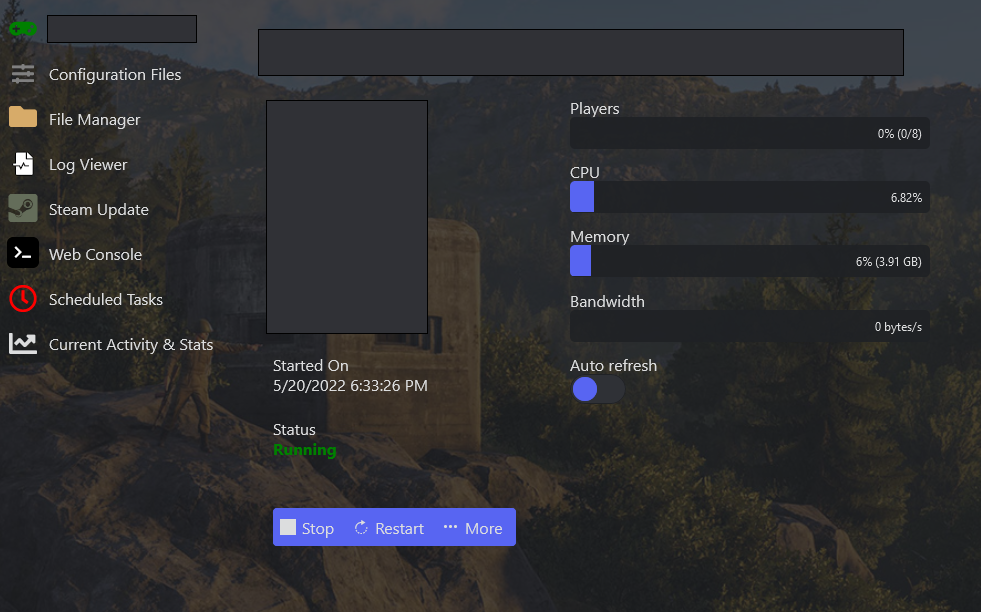
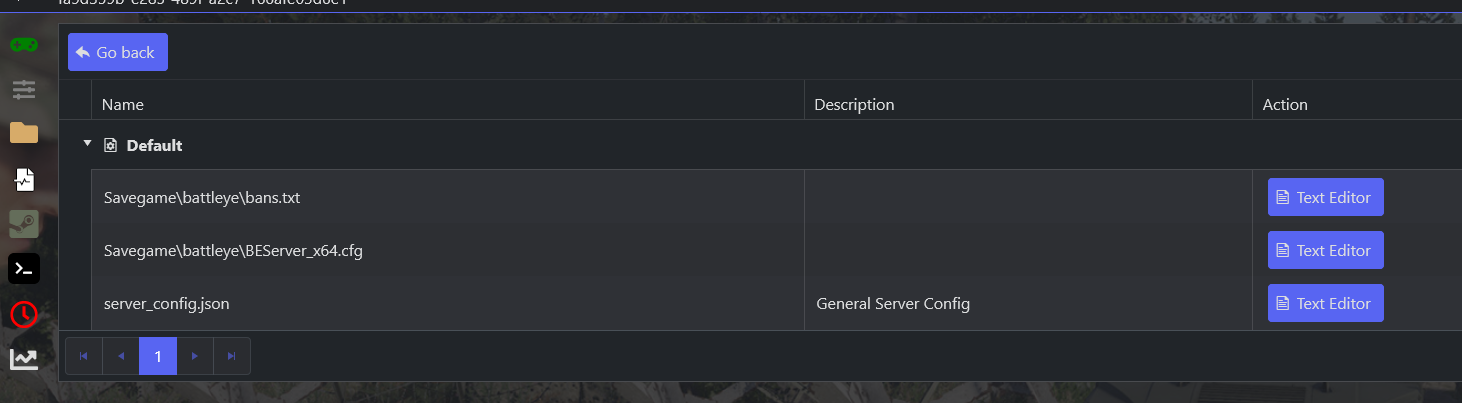
- Open the Configuration editor from the side menu and use the Text Editor on
server_config.json.
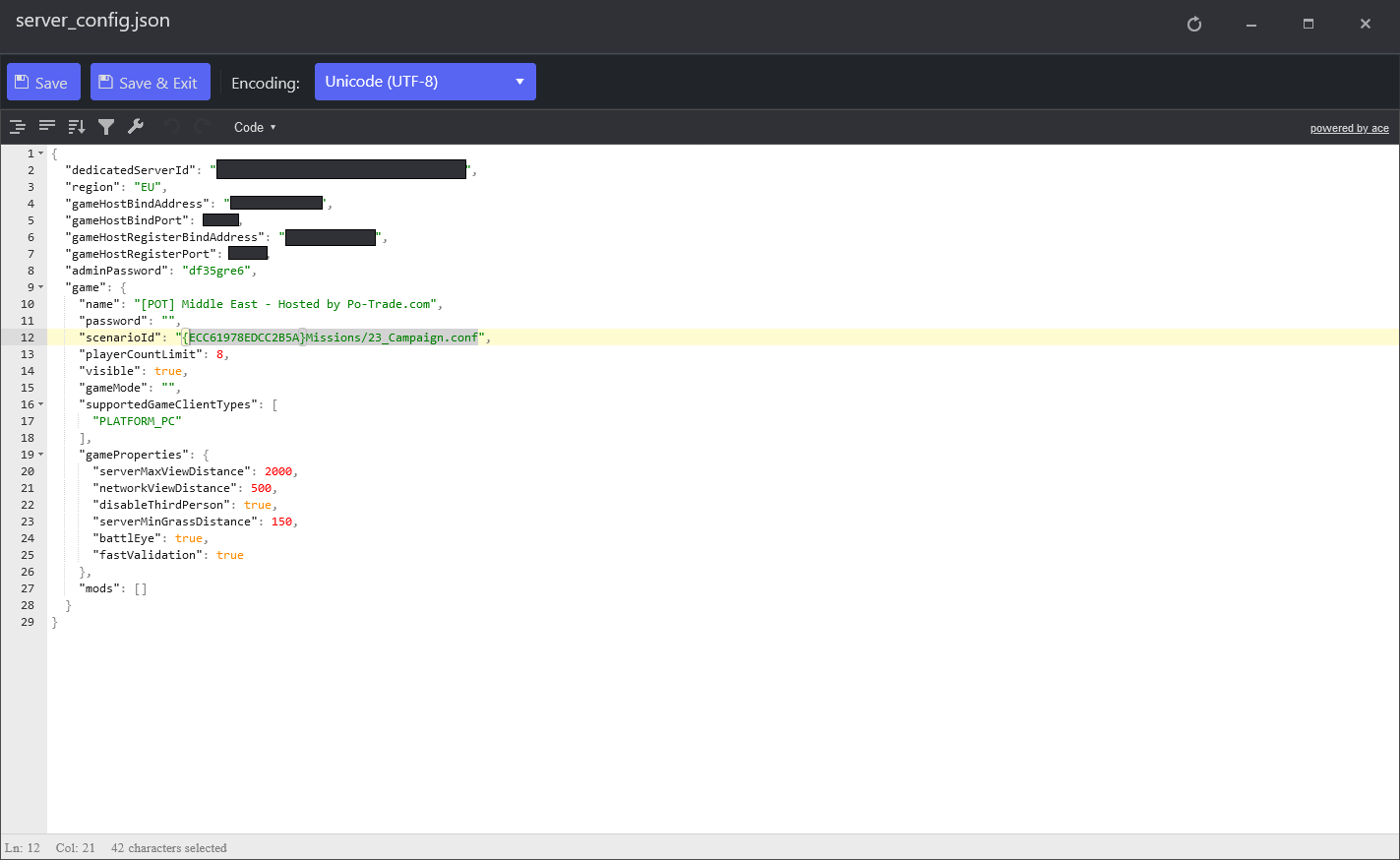
- Set
scenarioIdto the scenario you want (for example"scenarioId": "{59AD59368755F41A}Missions/21_GM_Eden.conf").
- Save & Exit, then Start the server.
Official scenarios
| Scenario | Scenario ID |
|---|---|
| Tutorial | {90F086877C27B6F6}Missions/99_Tutorial.conf |
| Conflict (default) | {ECC61978EDCC2B5A}Missions/23_Campaign.conf |
| Game Master — Everon | {59AD59368755F41A}Missions/21_GM_Eden.conf |
| Capture & Hold — Military Base | {6EA2E454519E5869}Missions/CAH_Military_Base.conf |
| Capture & Hold — Le Moule | {7C491B1FCC0FF0E1}Missions/CAH_LeMoule.conf |
| Capture & Hold — Castle | {F1A1BEA67132113E}Missions/CAH_Castle.conf |
| Capture & Hold — Concrete Plant | {589945FB9FA7B97D}Missions/CAH_Concrete_Plant.conf |
| Capture & Hold — Morton | {2B4183DF23E88249}Missions/CAH_Morton.conf |
| Capture & Hold — Briars Coast | {3F2E005F43DBD2F8}Missions/CAH_Briars_Coast.conf |
| Capture & Hold — Factory | {9405201CBD22A30C}Missions/CAH_Factory.conf |
| Capture & Hold — Forest | {1CD06B409C6FAE56}Missions/CAH_Forest.conf |
