
Upgrade Your VPS Components (RAM, Storage)
You can add more RAM, storage, and other resources to your VPS at any time.
Upgrade your components
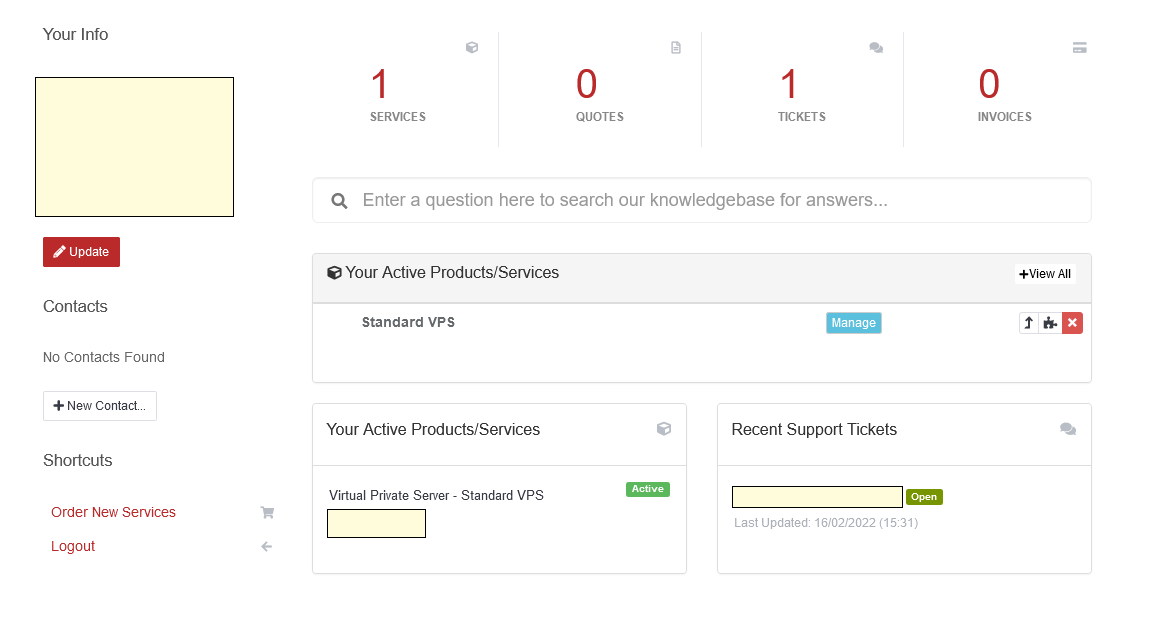
- Log in to your account and open your VPS details.
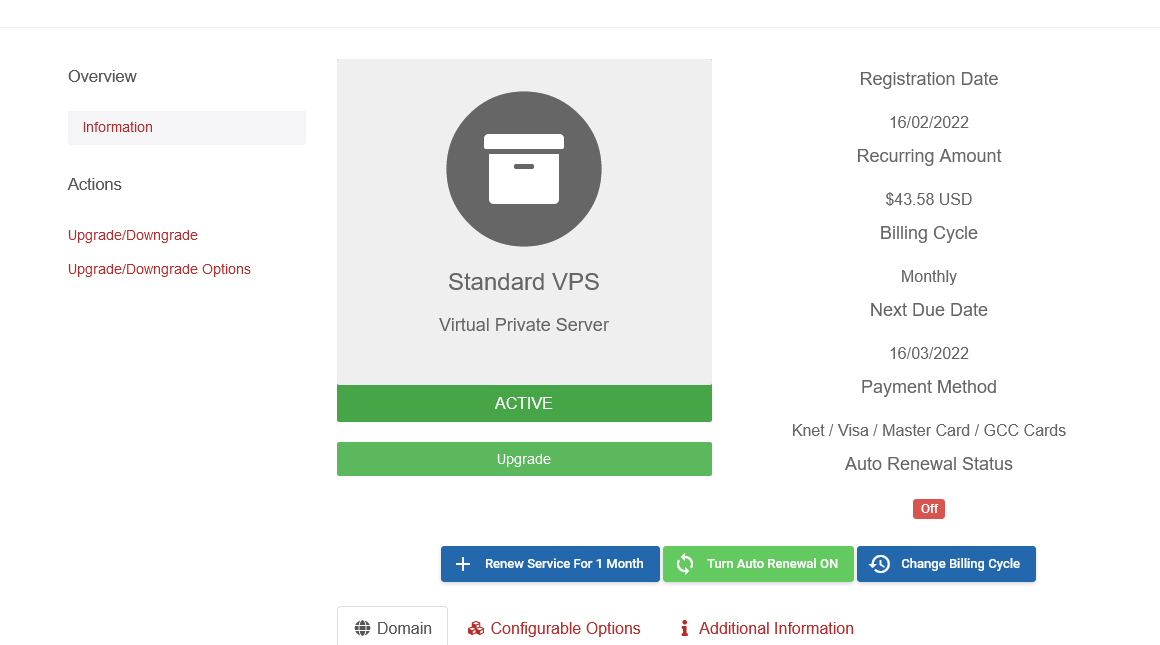
- Click Upgrade/Downgrade Options in the side menu.
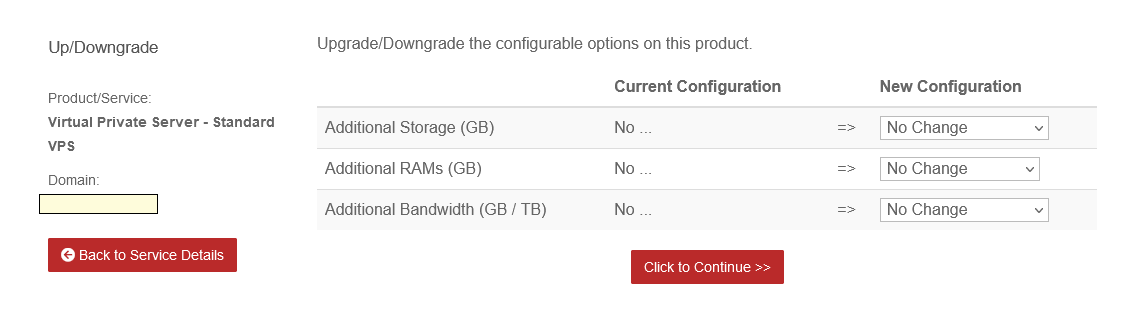
- Choose your additional storage, RAM, and so on, then click Click to Continue.
- The changes apply immediately once you complete the purchase. Restart your VPS to finish.
